Best Practices for Designing Your Emails
 Rocío Cortázar · 12 Feb, 2026 · Diseño Gráfico · 6 min

Effective email design is an essential skill in the arsenal of any designer or marketer. But it’s not as easy as you might expect; various aspects need to be considered to achieve it without losing your mind. Moreover, a newsletter is not just for informing and/or entertaining but also a good opportunity to strengthen your brand and foster customer loyalty.
Today we are going to talk about 13 email design best practices that you can’t miss to ensure your newsletters are always top-notch, being as attractive as they are functional.
1. Respect Your Brand
When your subscribers open your email, they should be able to quickly identify that it was sent from your company. So use all the email design elements that can be associated with your brand:
- Your logo
- The corporate colors
- Fonts. This might be the most challenging to comply with, as your corporate fonts might not be websafe, and therefore cannot be used in your emails. For this reason, you should always designate a websafe font that closely resembles your corporate fonts.
- Tone of your communication.
And be consistent with their use, as this will build a strong and recognizable visual identity.
2. Take Care of the Layout
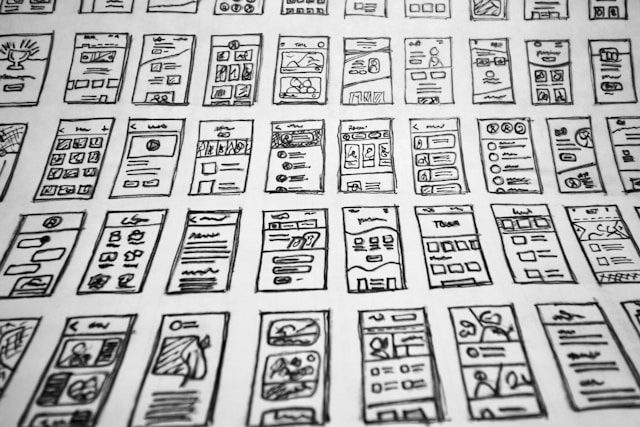
Structure your newsletter with a clean and organized design so that it is easy and pleasant to read, while also being accessible to everyone. Otherwise, your readers will feel overwhelmed and leave without reading anything.
For good email design, it is advisable that:
- All content is properly aligned.
- To avoid your newsletter looking overloaded and to improve readability, pay attention to white spaces; they are essential.
- The texts have a sufficient size to be easily readable.
- There is enough contrast between the text and the background to facilitate reading.
3. Incorporate Multimedia Content
If your subscribers open your emails only to find an endless stream of text, it’s very likely that they will gradually stop opening your emails. So don’t forget to add other types of content besides text: images, videos, GIFs, stickers, animations… However, don’t forget that they must work well with your brand and communication tone. And this brings us to the next point…
4. Use Emojis
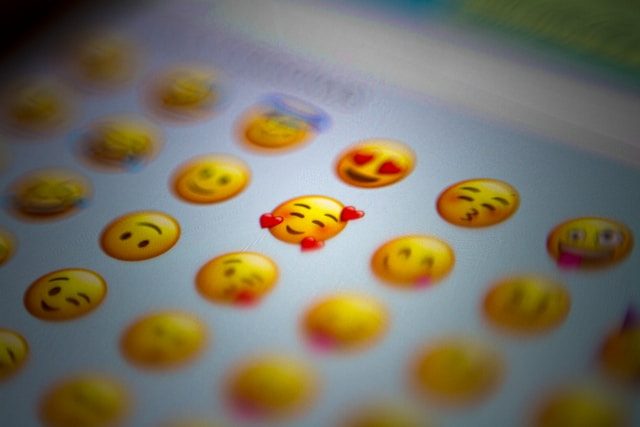
Although at first glance emojis may seem unnecessary or even unprofessional, the truth is they can help you a lot. In fact, by adding emojis to the subjects, preheaders, headlines, copies… of your emails, you can increase click and open rates.
But remember: if you use them, make sure you know exactly what they mean and the social connotations they may have, especially when combined. Trust me, you’d be surprised… 🍆💦
5. Don’t Use Only Images
Emails that only contain images or have all the text within an image have many disadvantages:
- They are more likely to go to spam.
- Not accessible.
- Some email clients block images by default, so your message must make sense even without them. And if something goes wrong with image display, we’re in the same situation; your recipient won’t understand anything. So don’t put text with important information in the images. Include some text outside the images so your subscribers can read it even if they can’t see the images.
Instead of this bad practice (which is very common, by the way), aim for a good text-image ratio. Aim for at least 60% text content in your emails to achieve a good balance and avoid the spam folder.
6. Optimize Your Images
As we have already mentioned, it is very important to include images in your emails, and of course, they must be of good quality and relevant, otherwise, they can distract and reduce the credibility of your newsletter.
But another fundamental point is to properly optimize the images in your campaigns so they load quickly and display correctly. Otherwise, your emails will seem unprofessional, and you risk getting worse results.
Images that are too heavy may not download at all or significantly slow down the total load time of the email, and we all know how impatient people are… Remember that you don’t know where your recipients will be when they open your email: for example, they could be experiencing a poor connection on their way to work. Not to mention that if they are too heavy, your email could end up in the spam folder.

In this article, you have everything you need to properly optimize your images for your campaigns.
7. Personalize Your Emails
When you personalize your emails with, for example, the name of your subscribers, it feels much more close, personal, and attentive, and you encourage the customer to develop much more empathy towards your company, humanizing it. This small touch will help foster the relationship between your brand and your subscribers, increasing its effectiveness. You can do this by including TAGs in your templates, here we explain how to do it in Acumbamail easily.
You can also do this by segmenting your lists to send relevant content to different groups of subscribers.
8. Ensure Your Newsletters Are Responsive
A responsive design means that the email layout changes to adapt to the screen of the device from which it is being viewed. This way, your subscribers can read your email correctly and without any problem, regardless of the device they use, whether it’s a computer, a mobile phone, or a tablet.
And considering that more and more people are reading emails on their mobile devices, this point is of vital importance. Ensure that the text is readable without needing to zoom and that the buttons are easy to click.
In our Guide for a Perfect Responsive in Your Email Marketing Campaigns, I tell you everything you need to know to ensure your Acumbamail campaigns are always 100% responsive.

9. Don’t Forget the CTAs
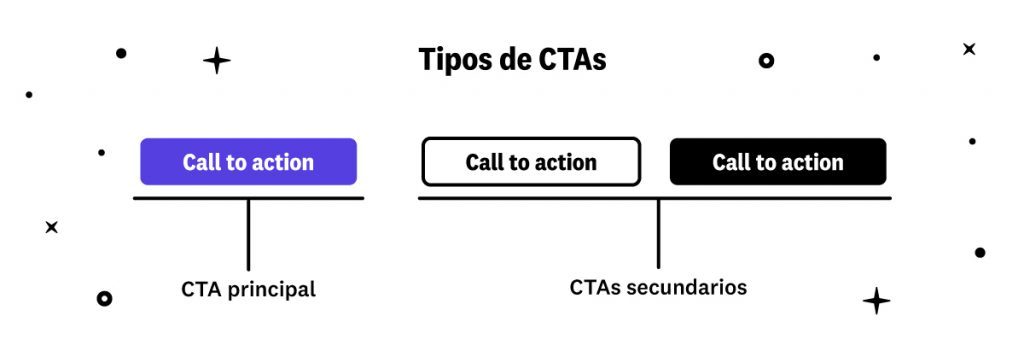
Calls-to-action (CTAs), or in plain English: calls to action, are used to get your subscribers to do something specific. This can be making a purchase, visiting your website, contacting the sales department, following your social media…
Calls to action should always be visible, and above all, it should always be very clear that they are clickable. Use contrasting colors and action verbs so readers know exactly what will happen next.
If you want to create the best CTAs, visit this article.
10. Add Your Contact and Social Media
It is highly recommended to end your emails with all your contact details, such as email, phone, postal address, and social media. With our editor, adding your social media to your newsletters is a piece of cake.
This way, you provide the subscriber with a quick way to access all the communication channels you have in case they need to contact you with any questions or suggestions.
11. Adapt Your Email Design to Dark Mode
The “dark mode” is a display preference that has become very popular in email applications and mobile and desktop operating systems. When activated, dark mode changes the light colors of the user interface to darker tones, so your design can be completely altered. Therefore, design your emails with this in mind.
Here’s an article where I explain everything you need to know: Adapt Your Emails to Dark Mode

12. Test and Optimize
Test different email servers and devices to ensure everything looks and works as it should.
Measure the performance of your newsletters and make adjustments as needed. Analyze open rates, clicks, and other key indicators to understand what works and what doesn’t.
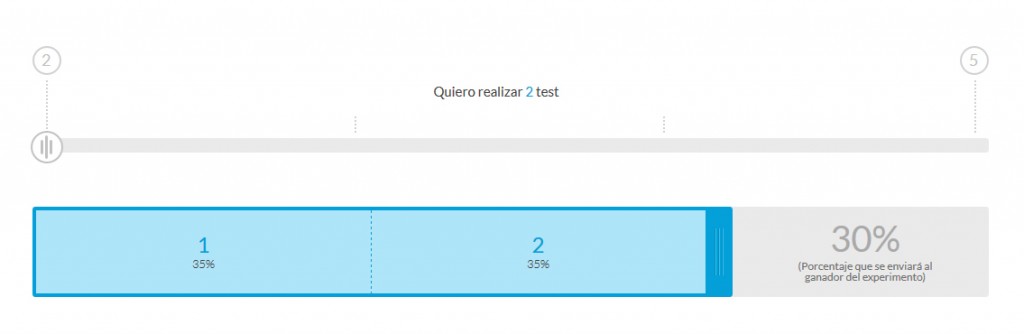
And remember that you can perform A/B tests if you’re unsure about any design detail, in this article we teach you everything you need to know.
13. Comply with Your Legal Responsibility
Ensure you comply with email regulations, such as the CAN-SPAM Act in the United States or the GDPR in Europe. Include an easy unsubscribe link and ensure your subscribers have given their consent to receive your emails. Compliance with these regulations is not only legally necessary but also shows respect for your subscribers. We all know how frustrating it is to want to unsubscribe from a service and not be able to do so.
By following these email design best practices, you can create emails that are not only visually appealing but also functional and effective, because if you focus only on aesthetics, you’re likely to lose sight of these two factors. Remember to design and adjust your strategy always keeping your audience in mind, thinking about their needs and preferences.