Everything You Need to Know About the Thank You Page: The Guide to Creating the Perfect Thank You Page
 Alicia Zunzunegui · 29 Jan, 2026 · Landing pages · 7 min

“Gratitude is the sign of noble souls,” says a popular saying, and you know it’s spot on. That’s why it’s very important to express gratitude to clients, potential clients, or anyone who interacts with your business.
And how do you achieve this? With a good thank you page or thank you page. A fundamental piece in any project with an email communication system.
In this guide, you will learn how to create a thank you page, what elements it should contain, the types that exist, as well as examples to give you more ideas.
Keep paper and pen handy because this is about to start 🍿
What is a thank you page or thank you page?
The thank you page or thank you page is a web page or landing that shows confirmation of:
- Subscription to a contact list
- Form submission
- Completed purchase
- Other initial contact points
📌 Note: to make reading easier, I will sometimes refer to it as a thank you page and other times as a thank you page, but know that I always mean the same thing.
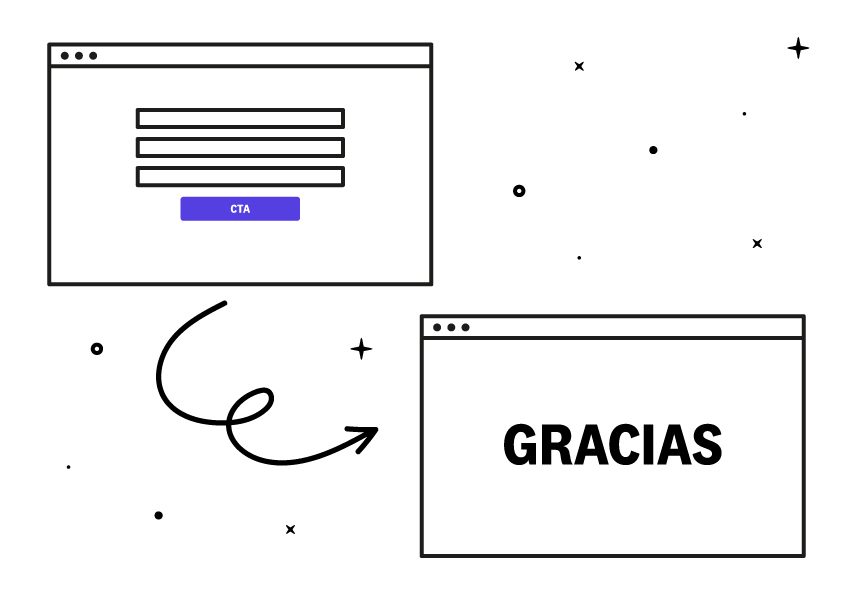
Any subscription to a contact list includes such a page: either an external page or an internal message. We will discuss this further later.
Now it’s time to talk about how wonderful it is to have one.
Why is it important to have a thank you page?
A thank you page is a necessary element to complete the journey a person takes from seeing the call to action to subscribe until they confirm the subscription and reach that page or thank you page.
Some brands just put Thank you! but, between us, that’s very lazy considering the potential and engagement they could achieve.
On this page, we can have various objectives:
- Inform new contacts
- Nurture the database
- Give away or deliver the lead magnet promised
Let’s discuss them one by one:
Inform new contacts
Personally, I feel very left out when I subscribe to a newsletter and don’t receive any information about whether I subscribed correctly or not.
It’s a great opportunity to communicate what happens next. Even to share or offer some service to the people who have submitted the form.
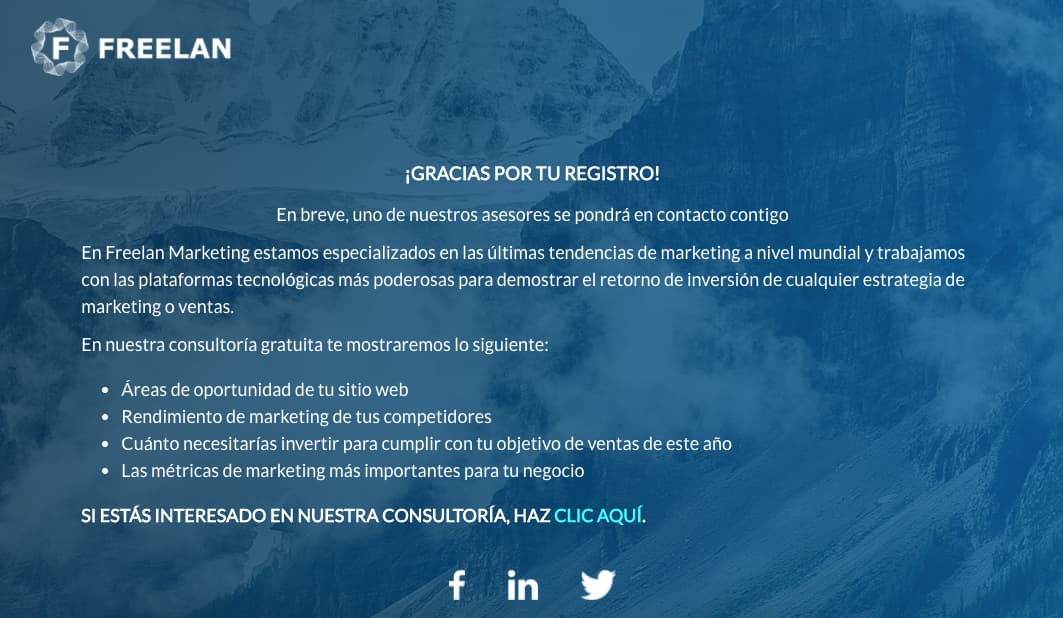
Check out this example from Freelan. On their thank you page, they show a message thanking for the registration and also offer a free consultation.
This is another more minimalist example from Josh Spector’s newsletter. It thanks the person, informs them that they will receive a welcome email, and also uses the thank you page to share “his secret weapon for creators.”
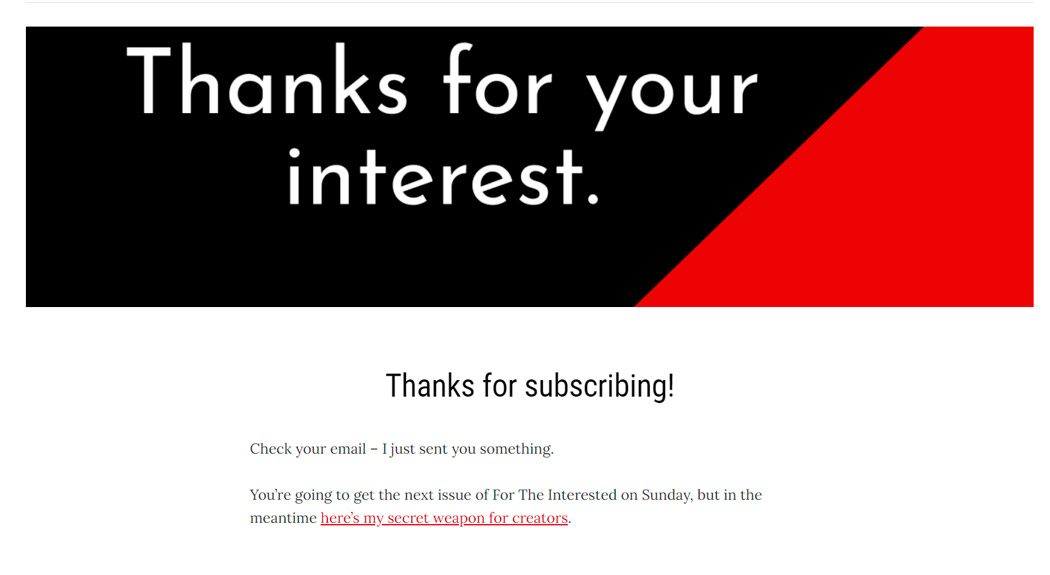
In these two thank you pages, you see how they don’t miss the opportunity to inform users about services, relevant articles, and next steps.
Nurture the database
Lead nurturing is a highly recommended practice to categorize and segment your audience and send them more relevant messages.
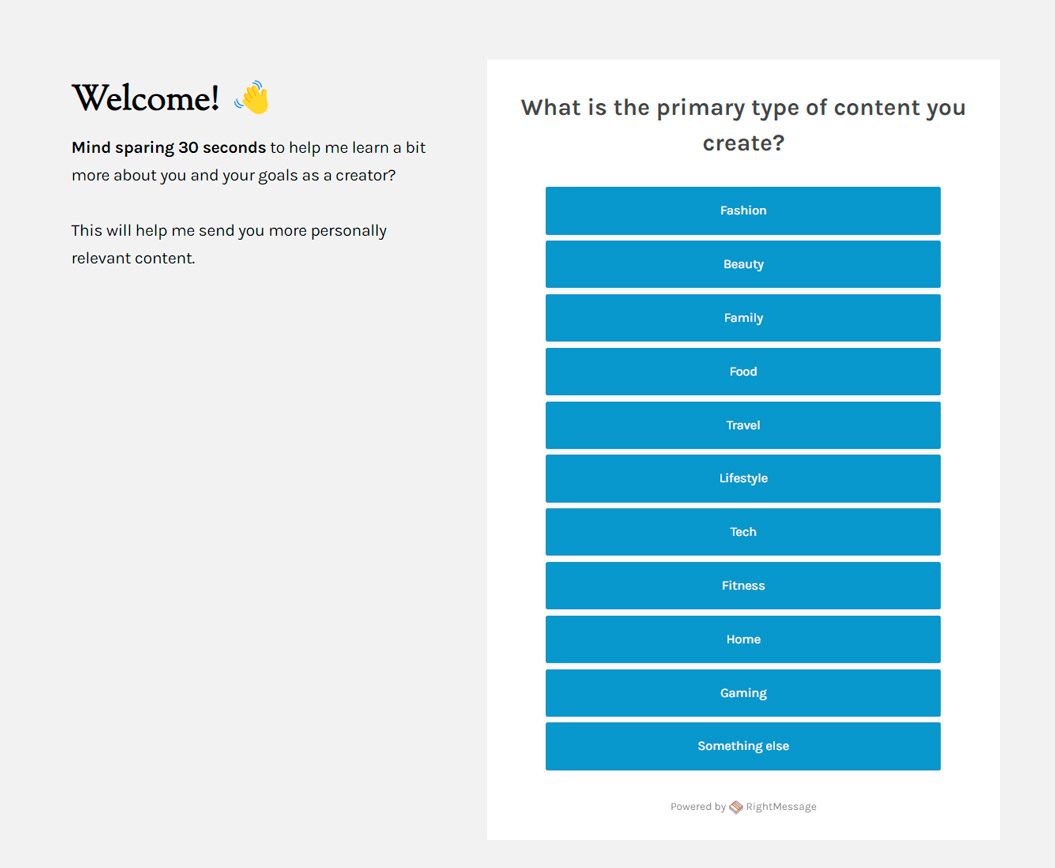
I really like how some editors use the subscription thank you page to the newsletter to ask certain questions and gather more information from users.
Check out this example from Creator Wizard. If you notice, it shows questions with answers to nurture the interests of subscribers who have just registered.
Give away or deliver the promised lead magnet
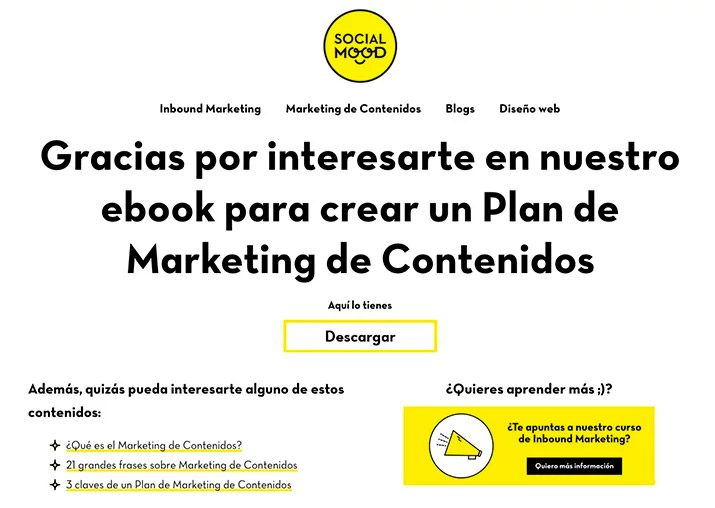
This is probably the most common case of a thank you page. You’ve probably seen it on some occasion. It involves showing the free resource or lead magnet to download directly from the thank you page.
Check out this example from Social Mood. Once you completed the registration form in exchange for getting an ebook, you were automatically redirected to this thank you page.
There is also the possibility of delivering that lead magnet directly in the welcome email. I won’t go into more details, but I mention it so you know 😊
Finally, mention an extra advantage: it allows you to measure conversions in your analytics system.
The thank you page can be a specific URL on your website like: yourdomain.com/thanks. This way, you can create a goal to count all the people who have landed there and know how many new registrations you have in Analytics.
5 Examples of Thank You Pages
The Pre-Registration and Confirmation Page of Rubén Alonso
I would like to discuss this example from blogger Rubén Alonso. He has the double opt-in system activated. That is, he sends an email to confirm the subscription.
See how he informs on a first thank you page about the next step:
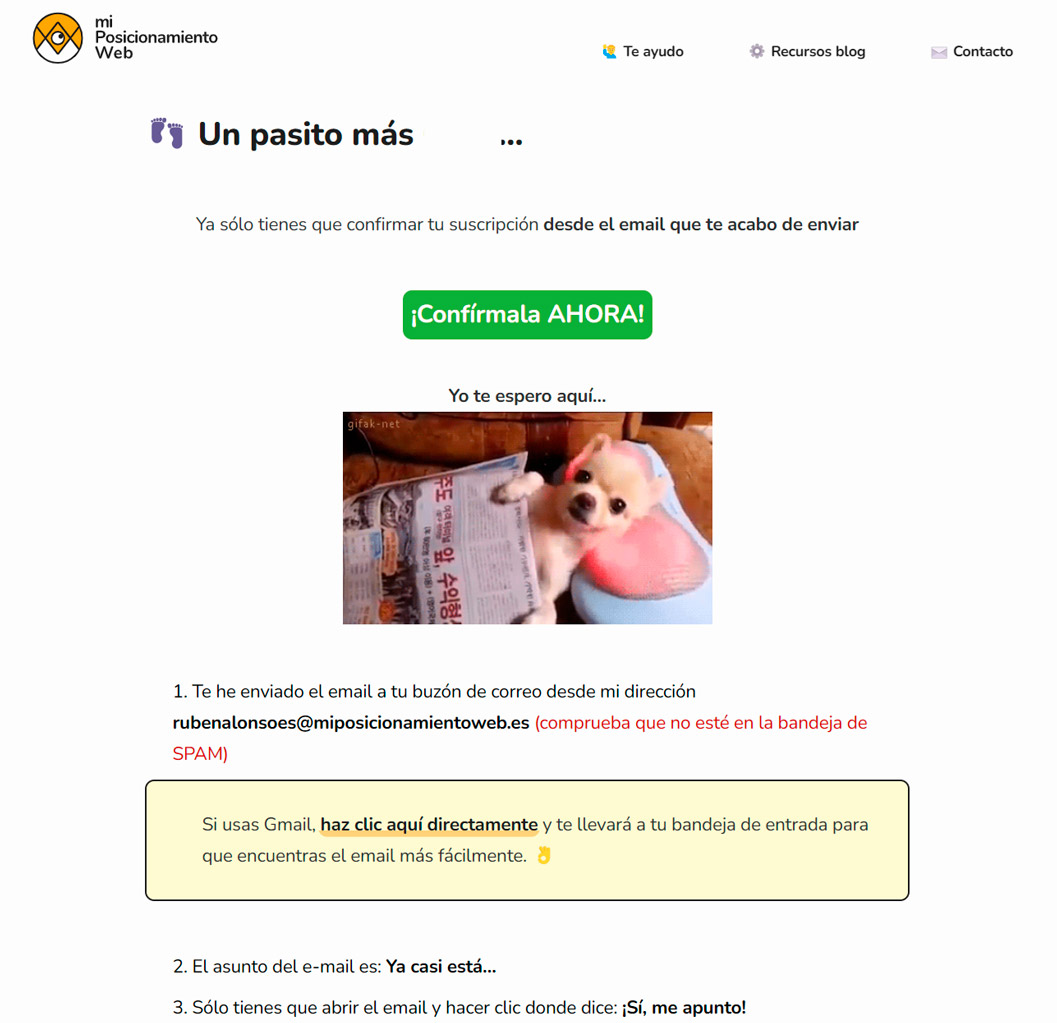
He makes it very clear what the person who just submitted the form has to do. He even provides a direct link to the email to confirm the subscription.
👉 Note: the easier you make it for your users, the fewer frictions you’ll have for them to do what you expect.
And once the double opt-in is confirmed, you land on this thank you page.
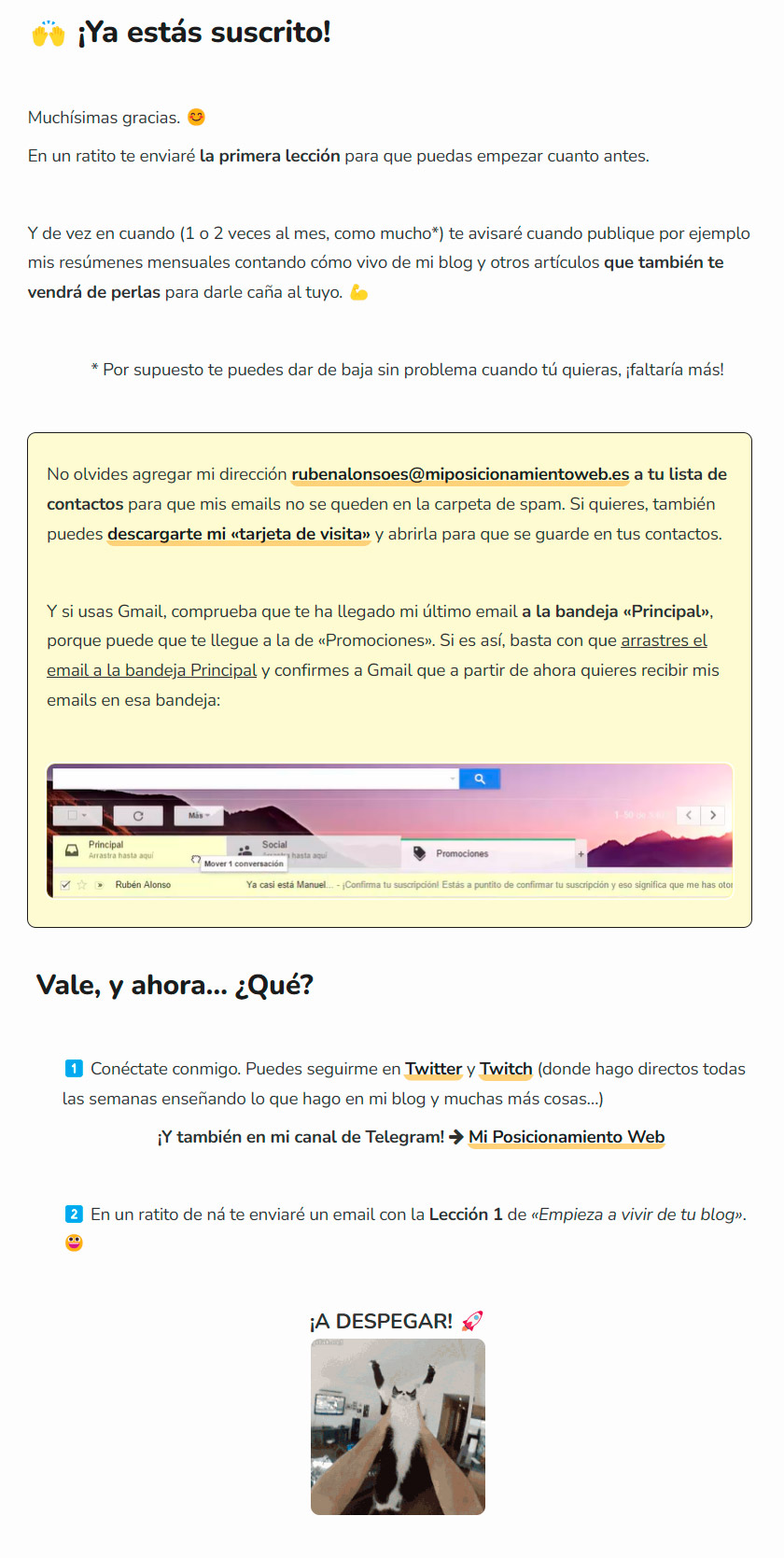
On that thank you page, it already confirms to the user that they will start receiving the course lessons sent by email and also invites people to follow him on his social networks and his Telegram channel.
As you can see, he takes advantage of the person’s attention – which is very valuable – to share interesting information.
Sklum and the Confirmation Within the Pop-Up
The decoration brand Sklum has opted to show the thank you page in the same subscription pop-up.
Here is a screenshot.
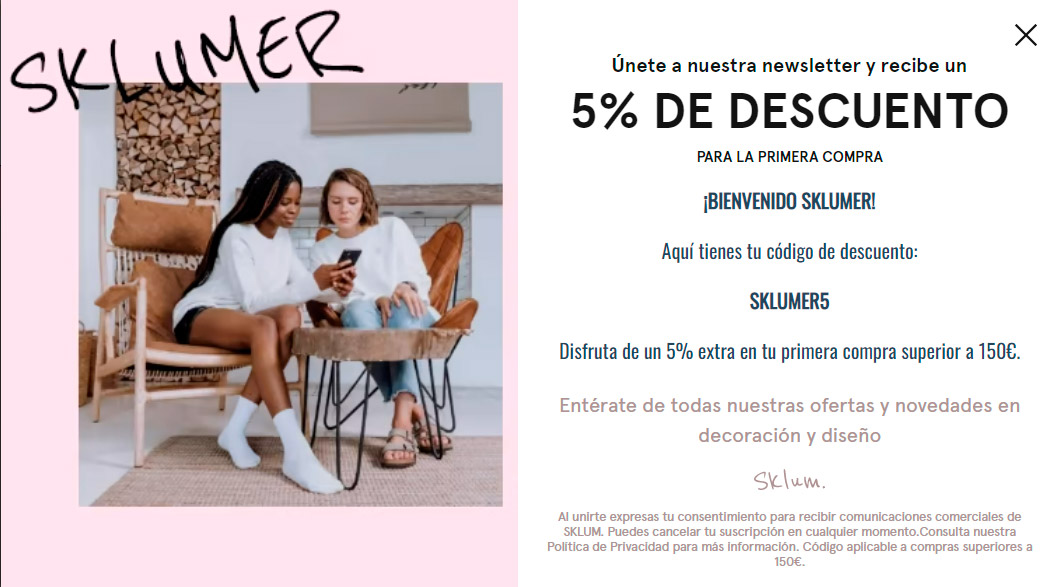
Doing this will depend on the system you use. Personally, I don’t like it, as pop-ups are so unstable that if you show important information, there’s a chance the user won’t read it.
In this case, they show the extra 5% code, which is the main motivator to subscribe. That’s why I would have opted to redirect to a thank you page with its own URL.
H&M and the Empty Thank You Page
H&M’s thank you page is quite improvable.
If you look at the image, once you register to receive the newsletter with news and offers, they simply show you a “sad” Thank You.
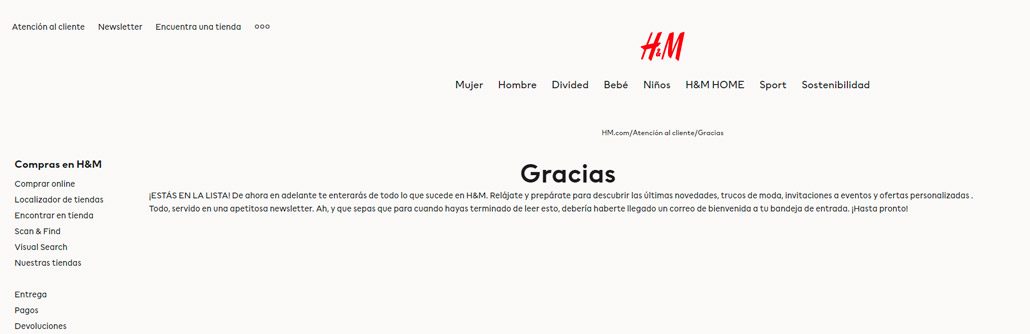
Instead of showing more information, for example, the latest news, they are inviting the person to close the browser, which translates into losing potential sales.
Personalizing the Thank You Page for a Newsletter
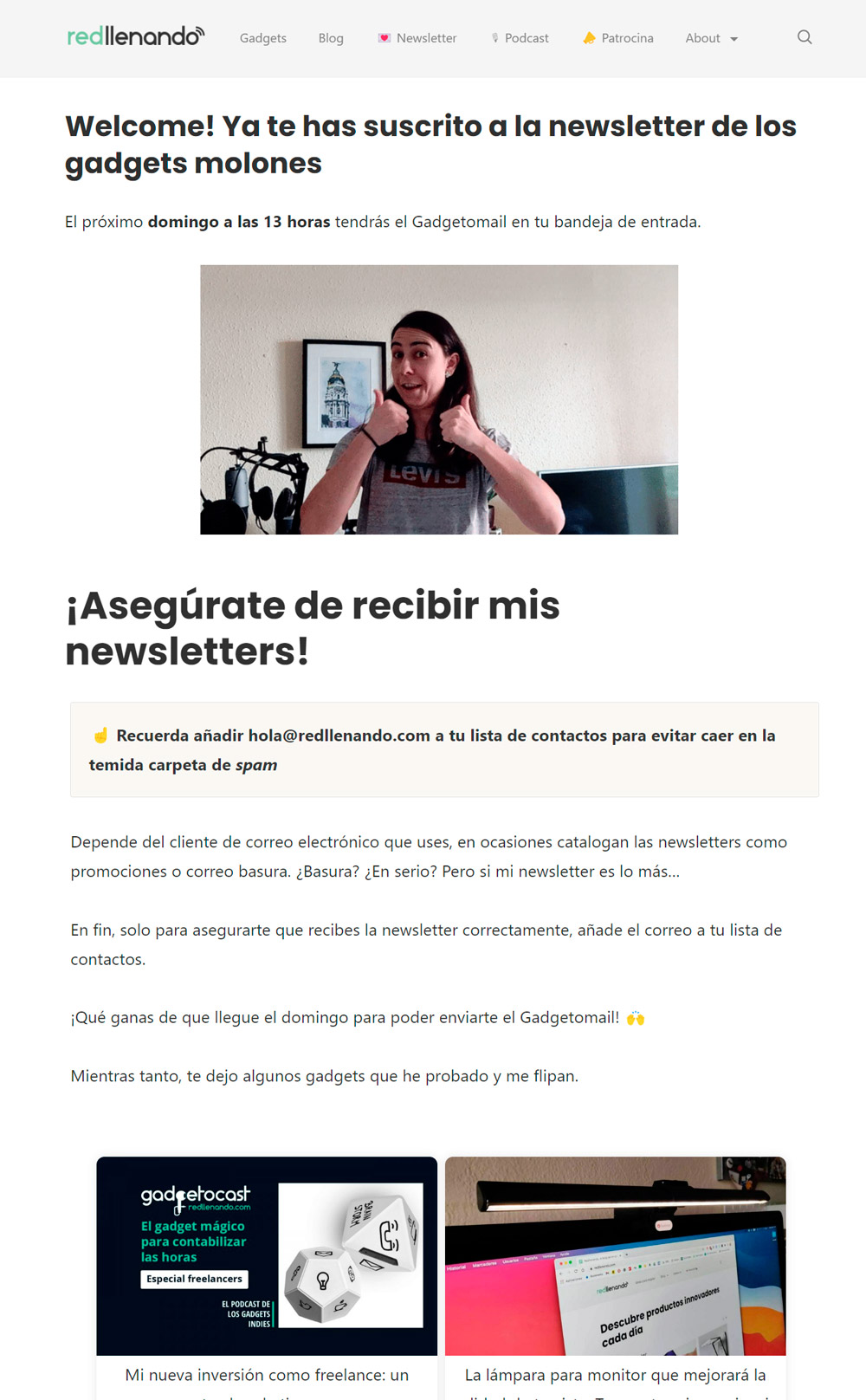
The case of the Gadgetomail newsletter is a good example of how to personalize this thank you page with dynamic and surprising elements.
In this case, the editor shows a personalized gif of herself saying thank you. She also communicates when the subscriber will receive the next newsletter and shows the latest articles published on the blog.
If you notice, it’s the opposite of H&M. Instead of inviting the person to close the web, it encourages them to keep browsing with other suggested content.
Thank You Page with an Invitation to Share on Social Media
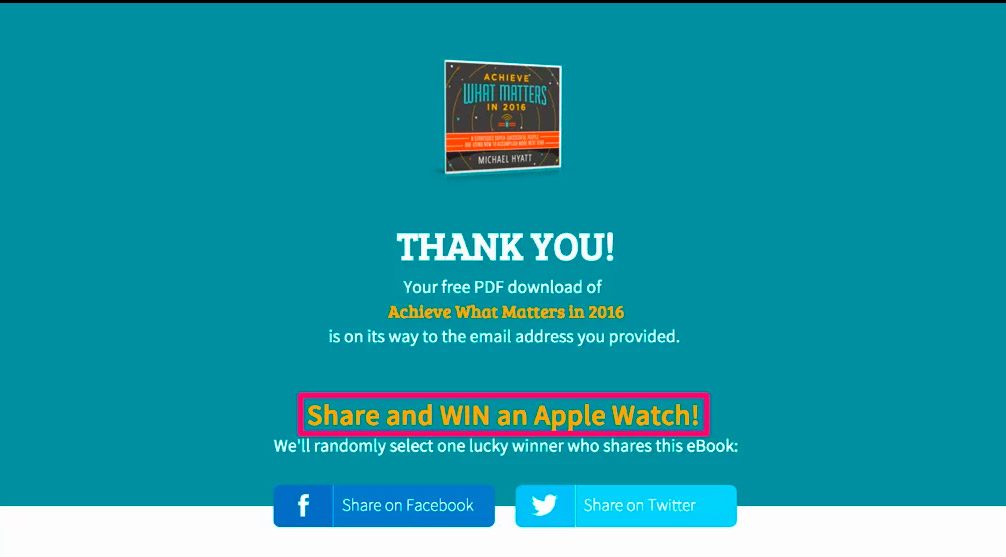
The last example of a thank you page is focused on encouraging sharing to gain more subscribers.
On this thank you page, they inform you that the free PDF will be sent to your email. But since they have your attention, they ask you to share the guide directly from the thank you page because you’ll enter a raffle.
You know. When you say the words “raffle” and “free,” all registrations skyrocket.
How to Create a Thank You Page?
To display the thank you page, you have two options:
- Show it on the email marketing platform itself
- Redirect to a specific URL
Show it on your own email marketing platform
Obviously, each platform has its own system. Since we’re on the Acumbamail blog and specialize in email marketing 😎, I want to show you how easy it is to create a thank you page in Acumbamail.
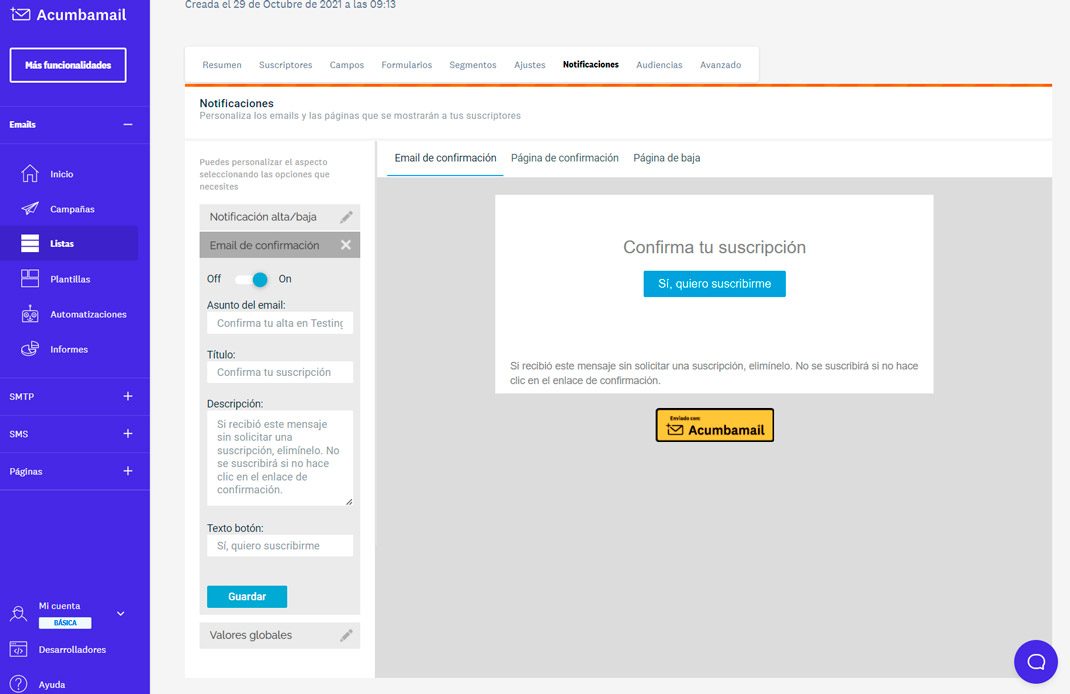
Within the contact list, you’ll find the “Notifications” tab.
Here you’ll find options to customize the confirmation email to the list.
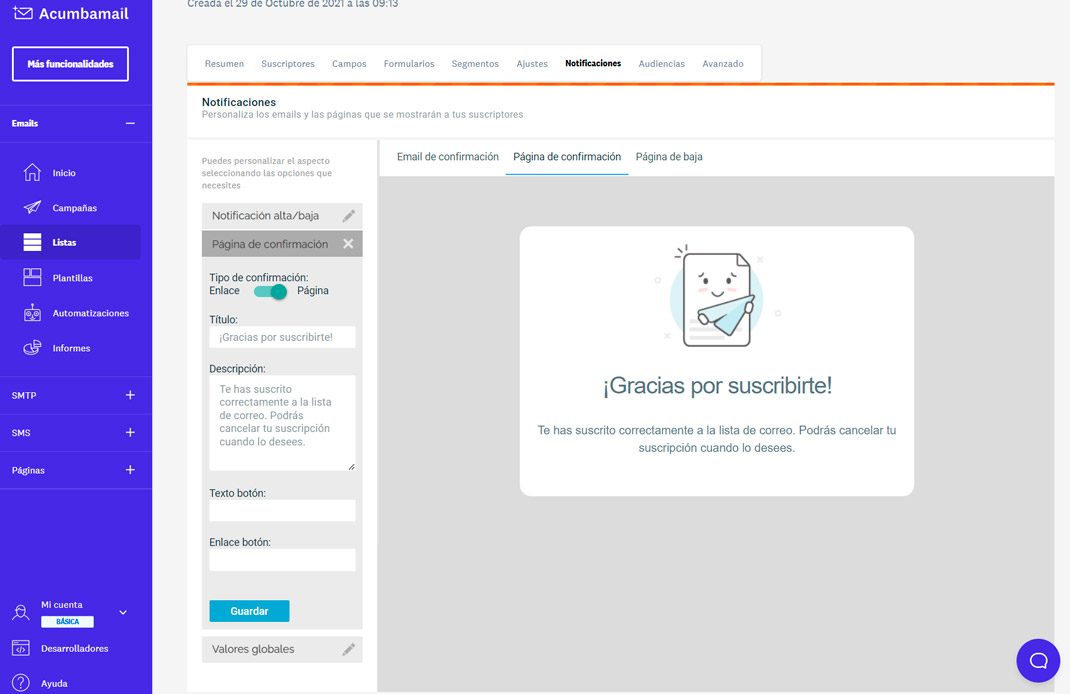
And you can also customize the confirmation page.
Here we offer two options in the “confirmation type”:
- Redirect to your own URL (that you have previously created)
- Show the confirmation page we offer
As you can see, you can edit the title, text, and image. Additionally, you can place a link if you want to redirect from that thank you page to a specific site.
Redirect to a Specific URL
This is another very common option. It involves, once registration is confirmed, redirecting to a website that shows the information you have designed for your thank you page.
In this case, you can create your own landing page of thanks with a URL like yourdomain.com/thanks or create it within the email marketing tool you use.
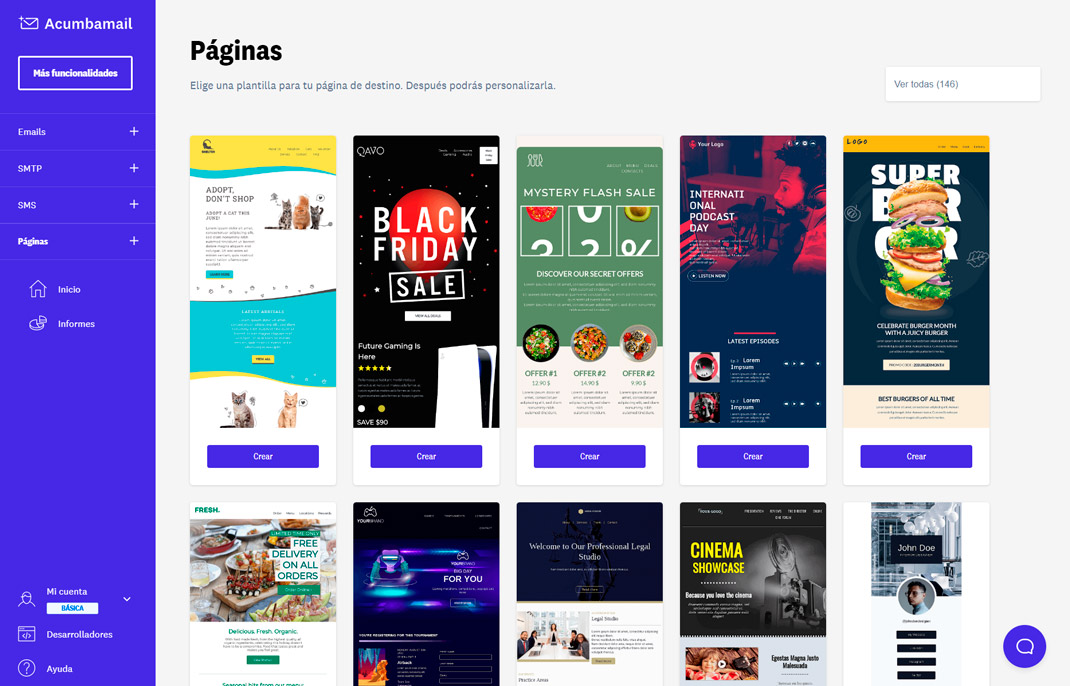
Within Acumbamail, we also offer the possibility of creating landing pages. This makes it much easier for you to design it using predefined templates.
We have hundreds of templates to choose from. Here, a small sample:
Conclusions: Make the Most of Your Thank You Page and Start Off on the Right Foot
We have reached the end of this guide where we have seen:
- The communicative benefits of having a thank you page set up
- The types that exist
- Examples of how other brands and professionals do it
- How you can set up your thank you page
You have already seen the opportunities that having a thank you page offers you. I hope that with this article, you have been inspired to create yours and capture the attention of your subscribers and potential clients from the very first moment.
Because you know, first impressions matter. Don’t miss this opportunity and do it with a good thank you page.