How to Create the Perfect Email Header
 Rocío Cortázar · 11 Dec, 2025 · Email Marketing · 6 min
Catchy email headers set the tone for your message. Whether bold or subtle, the header is where you announce yourself to the reader and immediately introduce your visual identity.
Earlier this year, we discussed how to create the perfect footer for your emails, so in this article, we’ll do the same for the header, so you know how to start and finish all your email marketing campaigns like a pro.
What is an email header?
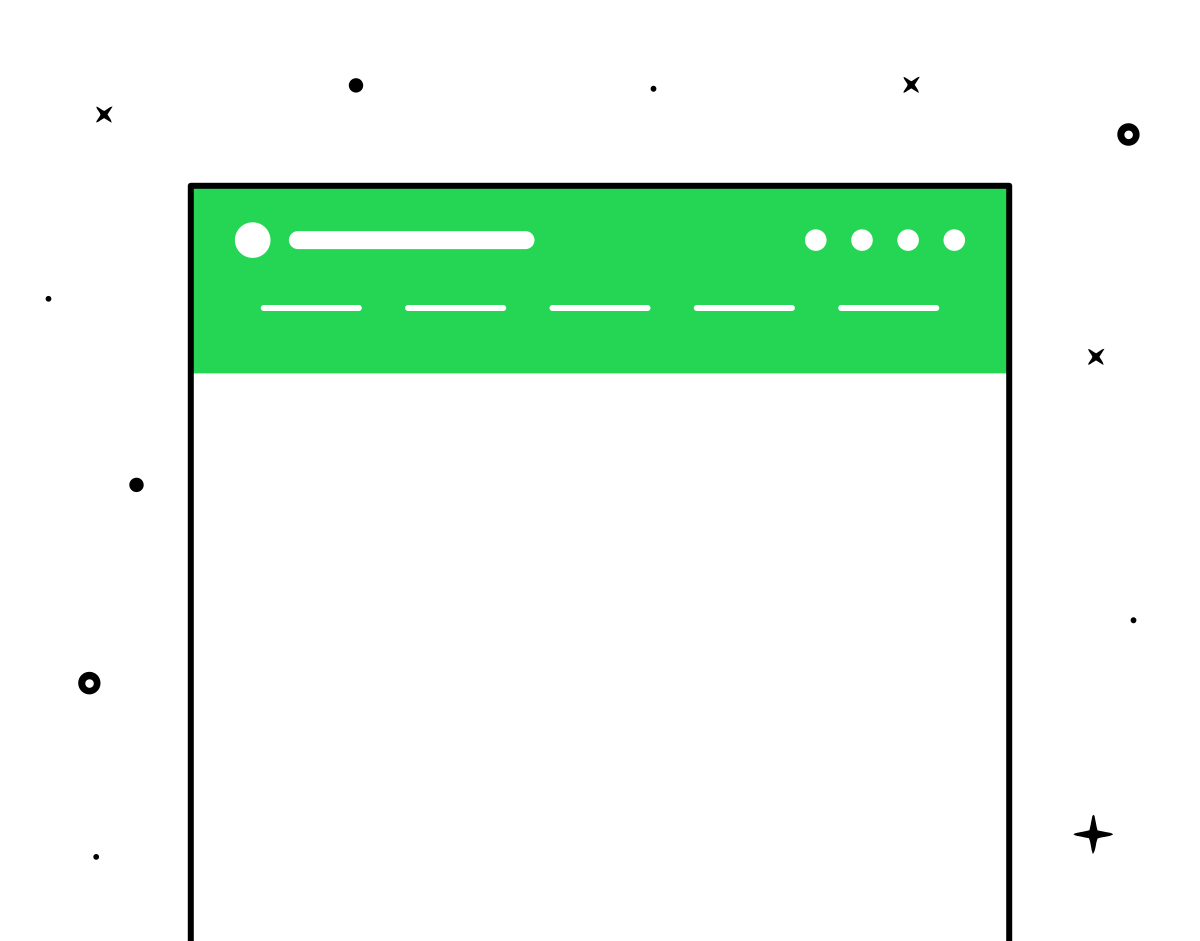
In reality, the email header encompasses the subject line, recipient, and sender, as well as the HTML header within the email body. This last part is what we will focus on in this post, meaning the visual part of the header that starts your email.
Email headers include the company’s name or logo. They often add a menu of products or categories that links to the brand’s website. Sometimes, brands also add a line about a benefit or offer they are currently providing, such as free shipping or a discount.
Your header might seem unimportant, but it’s actually an excellent place to implement some key marketing strategies. Think of it as free space to insert essential marketing or branding information. You could also make navigating the email easier by adding a menu of anchor links in the header.
Best Practices for Email Header Design
Well-designed email headers share some key qualities. Some of the best practices you should use are:
- Ensure the header identifies the brand. The header reinforces the “From” field (sender) so the reader doesn’t doubt who sent the email.
- Ensure the header is versatile. A good header works with all types of email campaigns, fitting well with each email template.
- Maintain consistency over time. A consistent email header creates familiarity, which reduces cognitive load for your readers.
- Create a clean and simple header. There should be no clutter in the header, such as crammed information or hard-to-read font.
Email Header Design Mistakes to Avoid
While designing your email header, avoid the following mistakes:
- Don’t overdo navigation. A concise and clear navigation menu is helpful. A dozen options is overwhelming. It’s an email, not your website.
- Don’t make it too large. Size matters: aim for your email headers to be less than 70 pixels tall if they don’t have a menu, or less than 200 pixels if they do.
- Don’t go off-brand. The header should strongly reflect your brand image, including your logo and key colors. Your email header is not the place to experiment with new, outlandish ideas.
- Don’t change it constantly. If your email header’s design changes frequently, your emails will be less recognizable, making some readers wonder if it’s really you.
Now that you know what makes the best email header design, let’s look at some header ideas backed by real brand examples.
Email Header Ideas and Tips to Get Started
1. Simply Use Your Logo
Many brands use only their logo in their header. There’s nothing wrong with that! Using your logo easily fulfills the three points on our checklist: identifiable, simple, and versatile.
If you include a navigation menu in your header—many brands, especially e-commerce ones, consider these menus important—reduce clutter and optimize your header by using your brand name or logo at the top. When your logo is well-recognized, it becomes increasingly easy to use on its own. Take a look at this Amazon example:
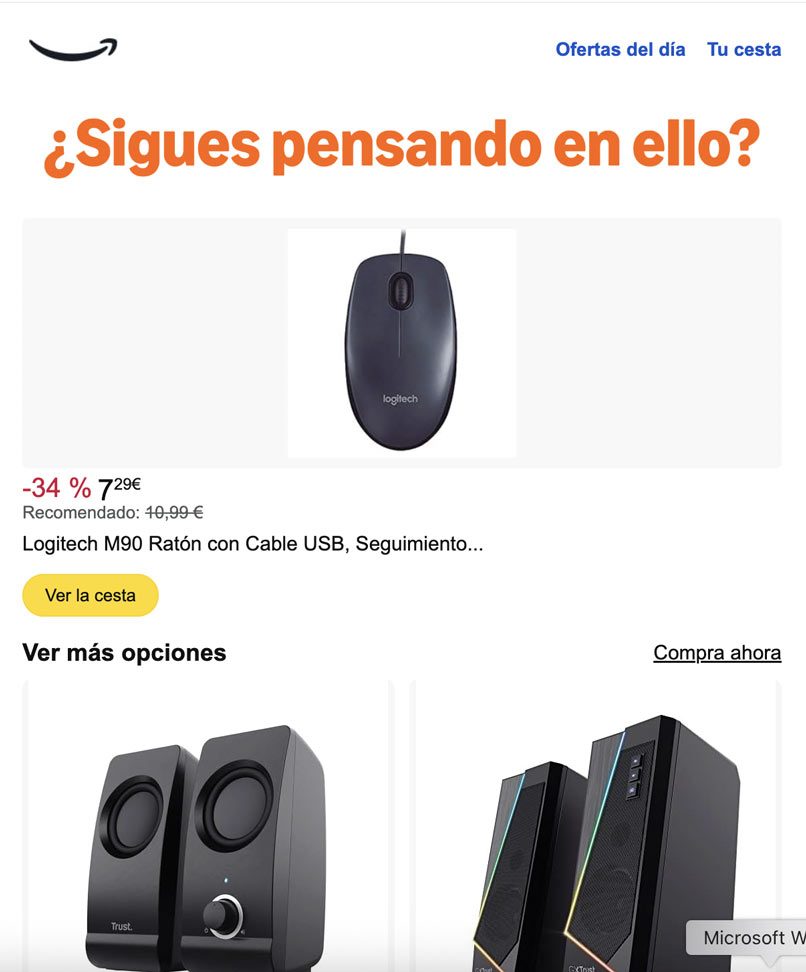
It’s a brand so recognized by everyone that just the symbol is enough for you to know who sent you the email.
2. Add Color
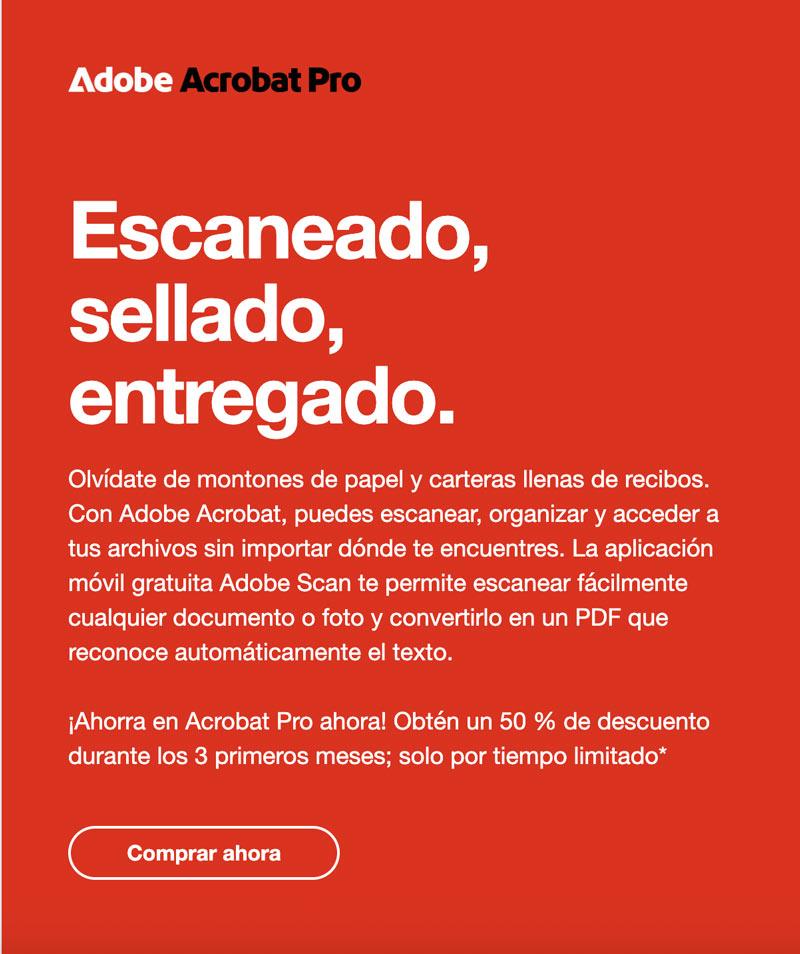
Another simple and versatile way to create a great email header is to use color at the top of your message. The header doesn’t have to be fancy. Simply use your primary brand color and your brand font, and you’re done, as in this Adobe example:
3. Grab Attention with Photography
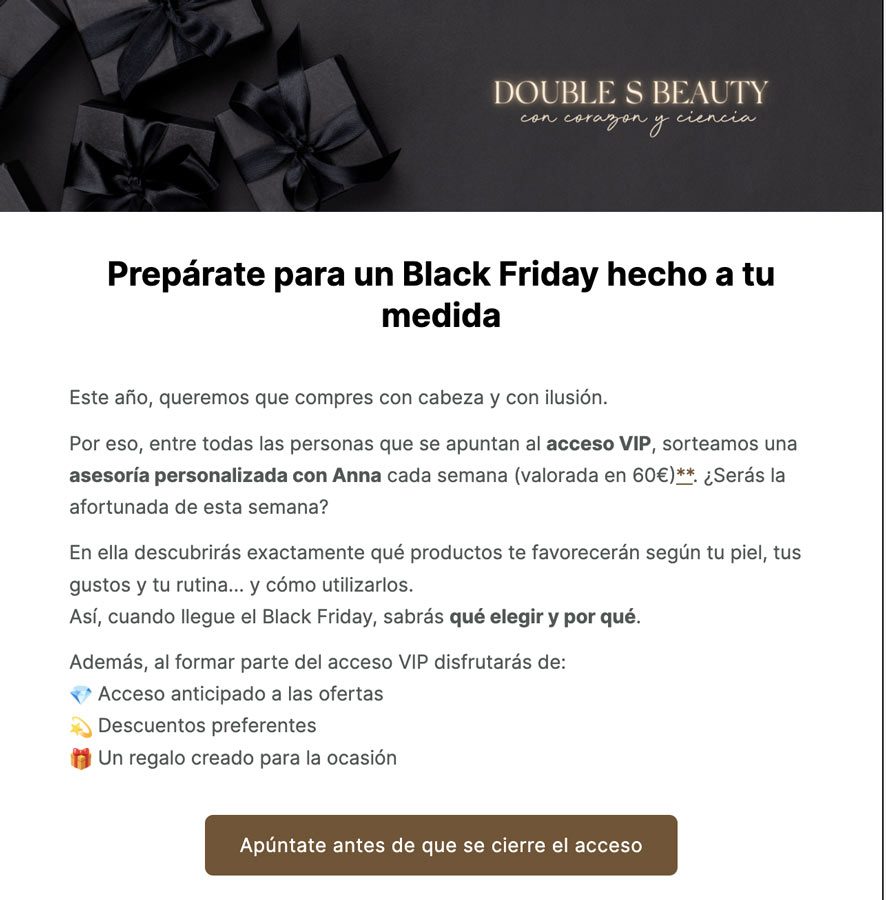
Including an image at the beginning of your email is always an excellent way to capture readers’ attention. A photographic header is no exception.
When choosing a photo for your header, it’s important to consider the photo’s versatility. If your email typically includes many images, consider whether your photographic header will work well alongside all the future content you will send. As in this SS Beauty example:
4. Be Sure to Personalize
Maintaining a consistent header doesn’t mean it always has to be exactly the same. For different emails, you’ll want to make slight changes to the header to keep it visually interesting and add personalization. But if you’re making adjustments in one area, keep other things the same, such as the position of your text or logo.
If you choose to personalize your header, it’s a good idea to have some templated versions to rotate between emails. Having a few different email header styles keeps your emails dynamic and engaging. Here’s an example from La Casa del Libro:


5. Add a Menu
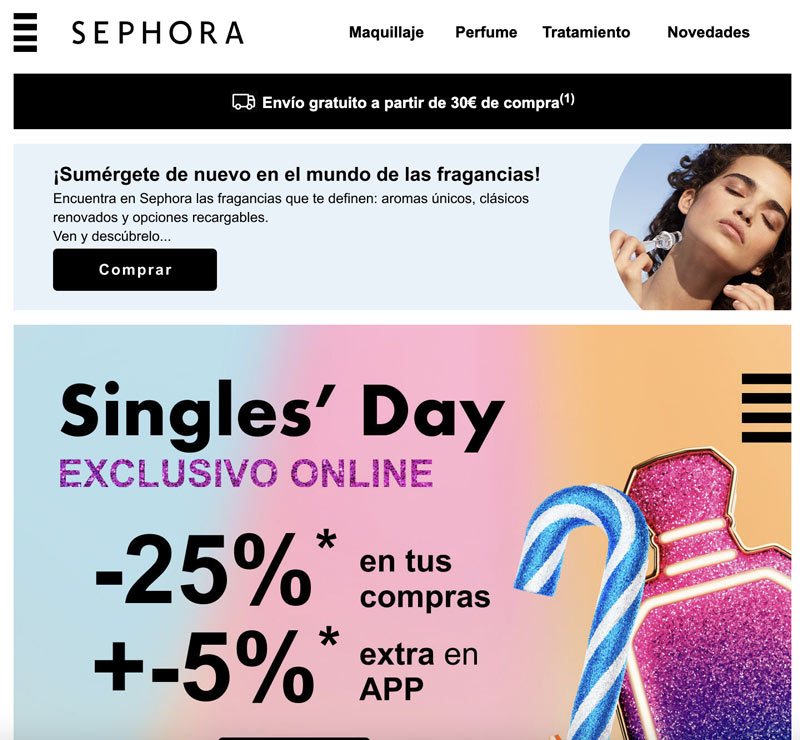
If your business is ecommerce, it can be very beneficial to add a small menu with your main product categories that direct straight to your website. You can even segment your list and make the menus different depending on the recipient or also make this part of the email have different variants based on your receivers. This is a practice you’ll see a lot in your inbox, like in Sephora’s case:
6. Include an Offer
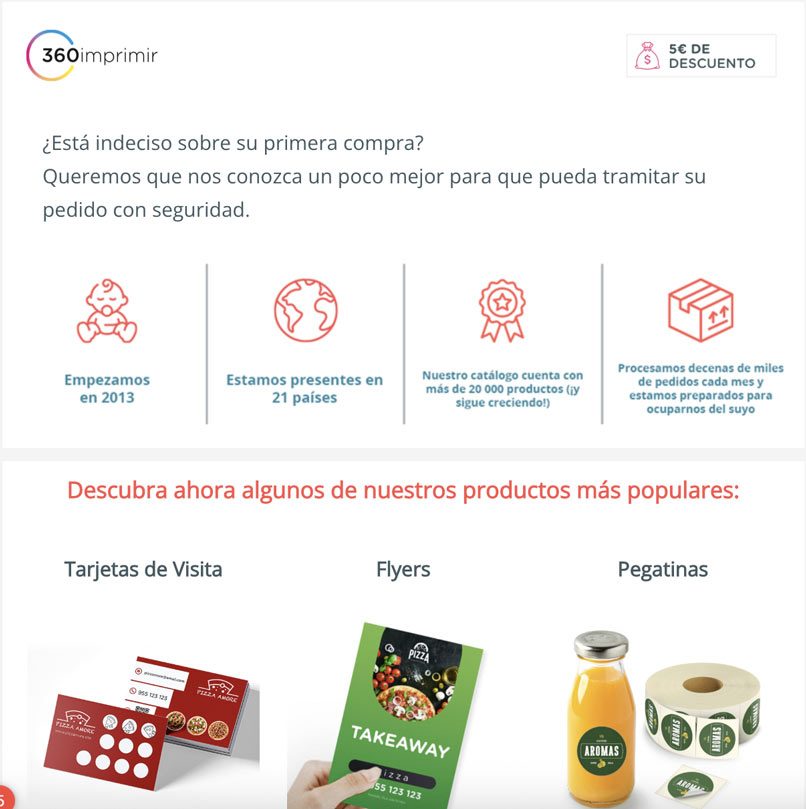
While your header isn’t a place where you typically want to put a lot of informational content, you can make an exception for a special offer. If you’re having a major sale and want to immediately grab readers’ attention to the sale, you can include a reference to that sale in your header. This makes the offer more noticeable and encourages readers to take a closer look and hopefully make a purchase. In this 360imprimir example, we see a €5 discount in the header:
7. Include Animation
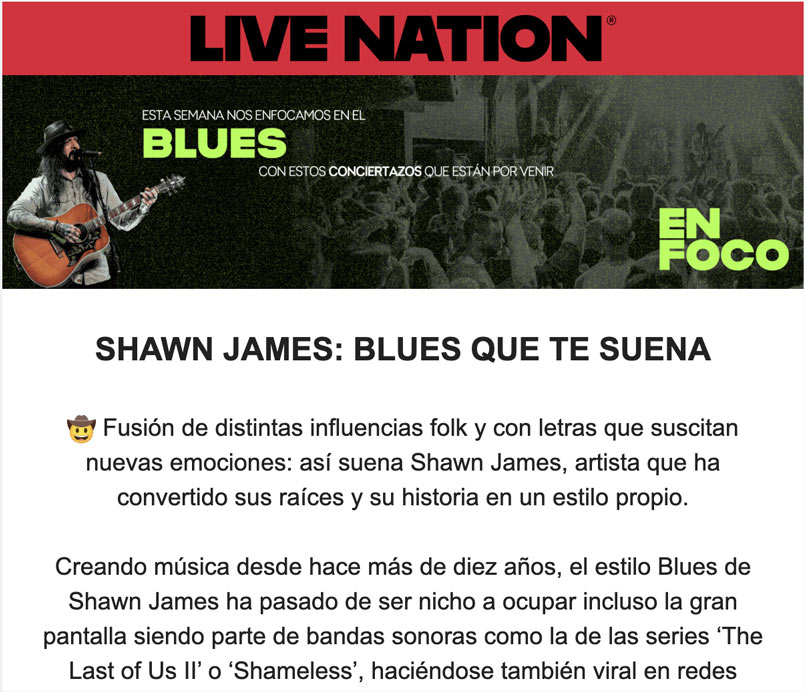
As eye-catching and engaging as images can be, animation can be even more effective. In your email header, a well-placed animation that aligns with the brand or theme is an excellent way to hook readers and get them to pay attention.
Animation in the header is engaging and catches the eye. It makes the reader pause and notice, and pay more attention to the email’s content. In this Live Nation example, some elements of the header have been animated:

8. Include a Company Mascot
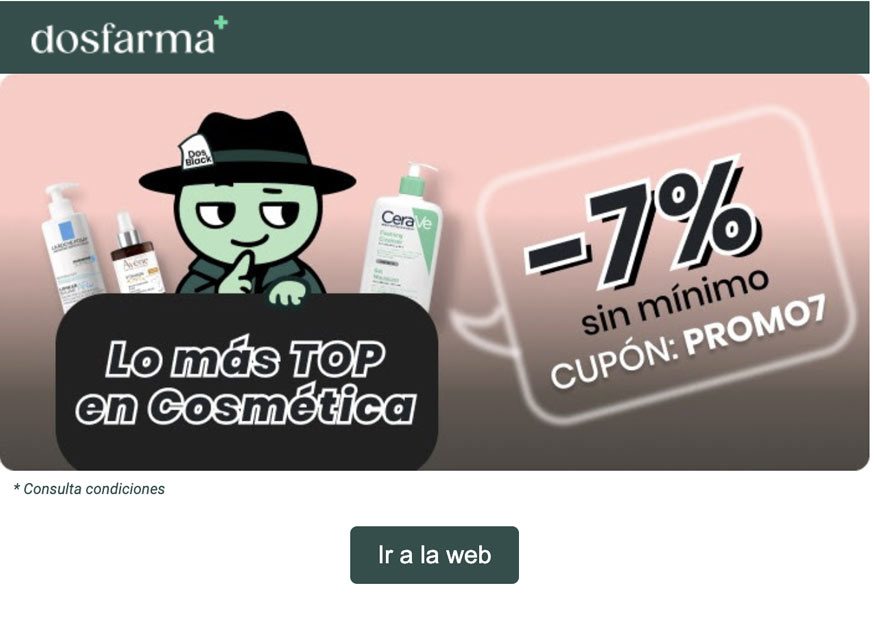
A fun way to build brand awareness and make your brand more approachable to people is to use a brand mascot. A mascot gives your brand more personality, and incorporating that mascot into an email header will make the email feel more personal to readers from the moment it’s opened. So, if you have a mascot, include it in your campaigns, as dosfarma does:
How to Design an Email Header
There are several options for how to create an email header. Some choose to create their headers in design programs as images and insert them into their emails. However, by doing so, you lose functionality. You also run the risk of your image not displaying correctly in the email clients some readers are using.
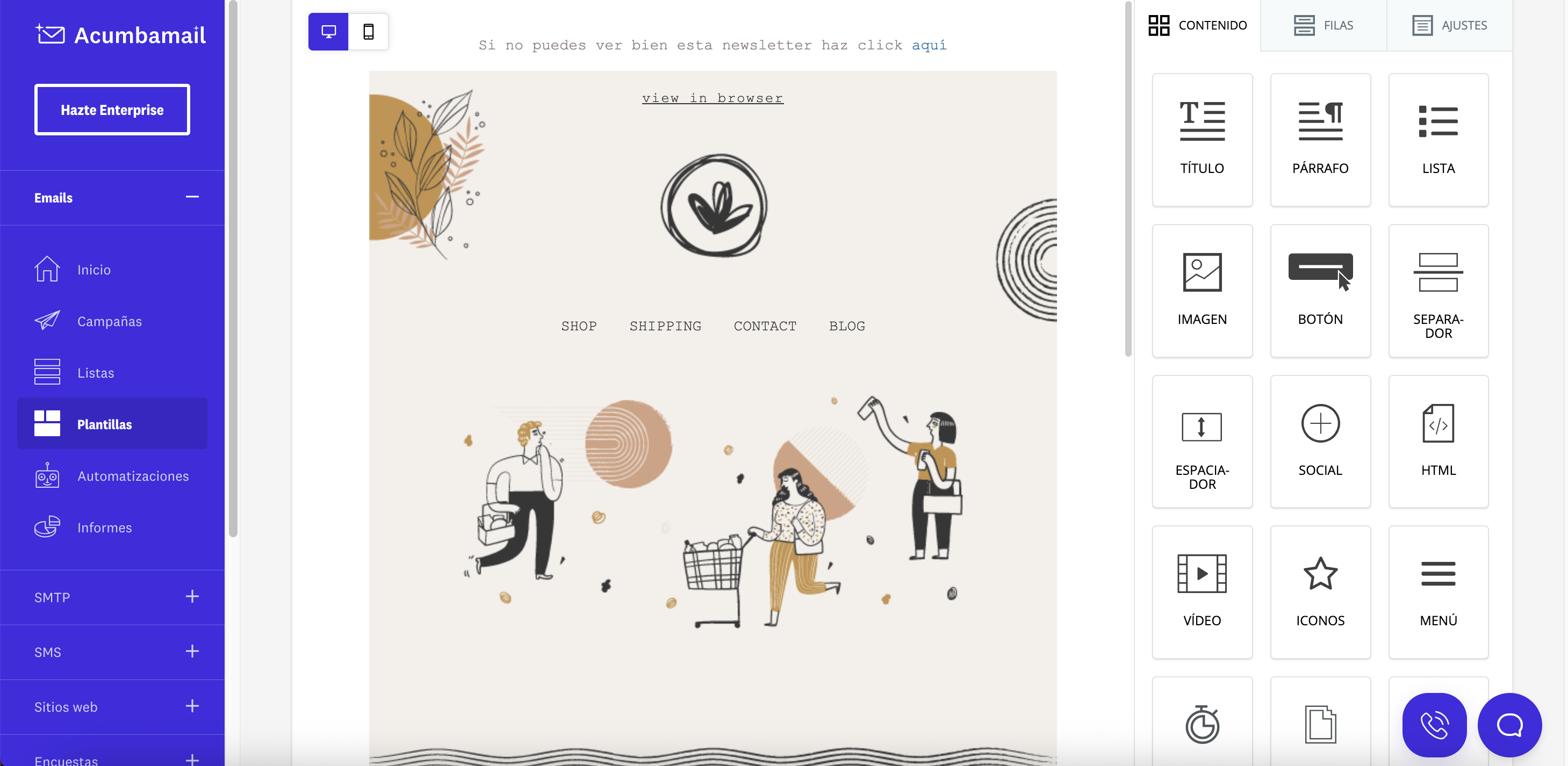
The most versatile and reliable option is to create your header using HTML within an HTML email. But of course, for that, you need to have minimal knowledge of HTML or coding. Therefore, if you don’t have that, the best option is to use an HTML email editor like ours, which provides an easy-to-use interface that allows you to drag and drop different elements and customize the email as you wish.