Full Cart: The Automations Your Ecommerce Needs
 Lucía Pérez · 01 Oct, 2026 · Email Marketing: First Steps · 10 min
Let’s start with a game. Imagine 1,000 people add a product to their cart in your store. How many do you think end up buying?
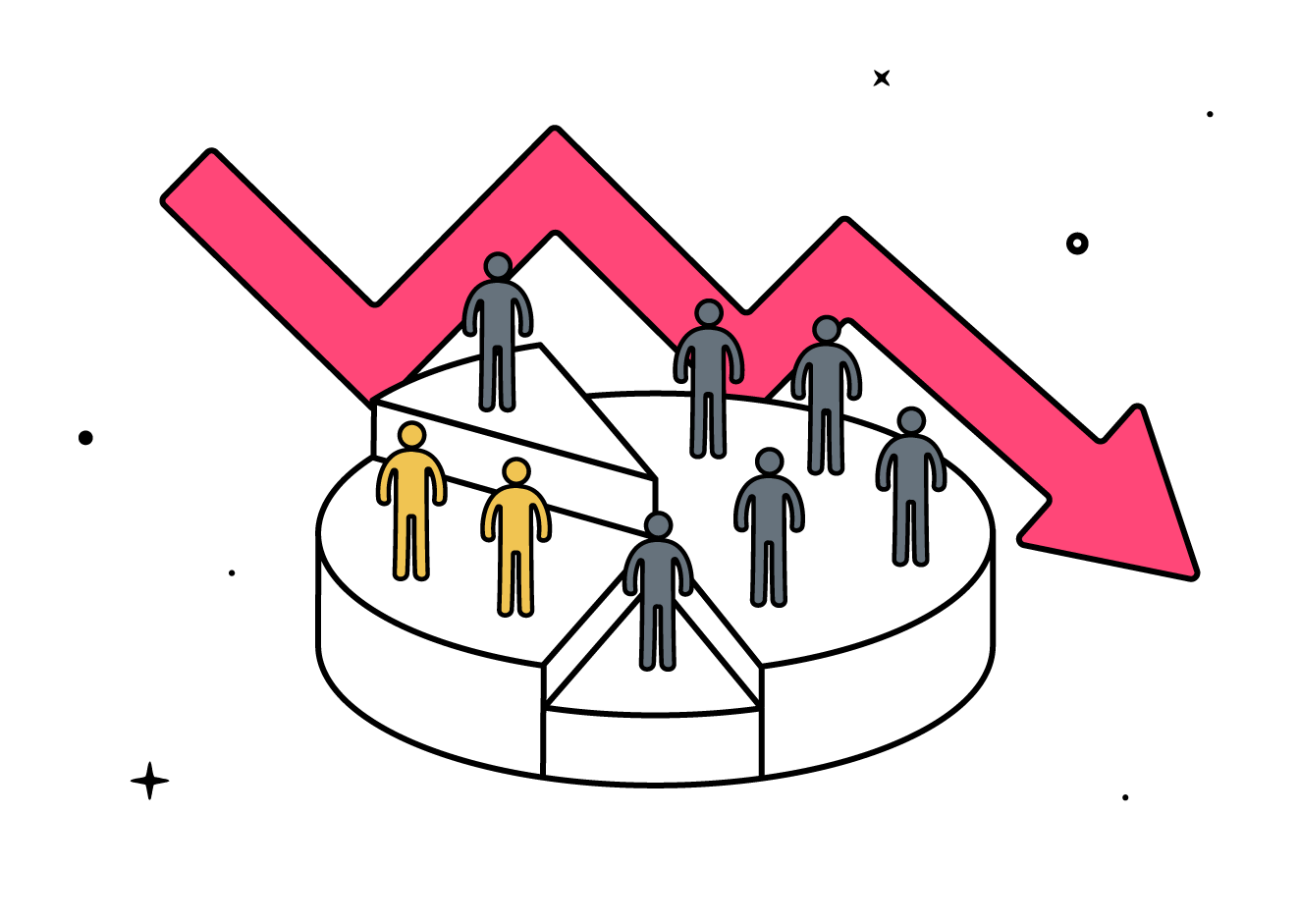
We’ll tell you right away: about 300. The other 700 leave without paying. This is what the Baymard Institute’s meta-analysis indicates, which gathers dozens of studies. Seven out of ten online carts are abandoned, and the figure has barely changed in ten years.
Yes, it hurts a bit. But there’s good news. Those 700 people already know you, have already looked, and have already chosen. They don’t lack interest. They just need a little reminder. And that can be automated.
That’s why this article is about how to achieve a full cart. A full cart doesn’t start in the cart. It starts when someone discovers your store. It doesn’t end at payment either, but when that person comes back to buy again. Let’s go step by step.
Why Your Ecommerce Loses Sales
Before looking for solutions, it’s good to understand the problem. Baymard has been asking shoppers for years why they abandon their carts. The answers are repetitive:
- “I was just looking.” More than half of online shoppers have abandoned a cart for this reason. They compare prices, save products for later, or simply browse. Some of this abandonment is inevitable. However, some can be recovered if you give them a reason to return.
- Unexpected costs. These are shipping fees, taxes, or duties that appear at the end. It’s the most cited reason among those who did want to buy, with 48%. Nobody wants surprises on the last screen.
- Long or unclear processes. For example, mandatory registration, too many steps, or little trust in the store.
- Mobile. According to Dynamic Yield, more carts are abandoned on mobile than on desktop: around 80% versus 66%.
Some of these problems are fixed by improving the store. But the bigger part is fixed with a timely message. That’s where automations come in.
Un ecommerce no pierde ventas solo cuando alguien abandona el carrito. También las pierde cada vez que deja una acción a medias y nadie responde.
Additionally, one of our own data points surprised us. At Acumbamail, 97.13% of the campaigns sent are newsletters. Only 2.24% are automations. That is, almost everyone sends messages manually. Very few let the system work for them. In ecommerce, that means losing sales that were already very close.
The Map: From First Click to Second Purchase
Forget the lists of tricks. Think instead about your customer’s journey:

At each stop, someone might get off. However, at each stop, an automatic message can make them stay. Let’s go through it together.
Before the Cart: Get Them to Return
1. The Welcome: The Most Overlooked Opportunity
Imagine someone has just subscribed to your newsletter. Therefore, it’s the moment of greatest attention. They have voluntarily given you their email and still remember you. If the first message they receive is your Thursday newsletter, you lose that opportunity.
What to send: a short sequence of two or three emails.
- Email 1 (immediate): welcome them, tell them who you are, and explain what you will send. If you offer an incentive, this is the best time.
- Email 2 (2-3 days later): showcase your main products or most viewed categories.
- Email 3 (5-7 days later): build trust with reviews, customer photos, and FAQs.
Why it works: welcome emails are opened much more than a regular newsletter because the person is expecting them. This way, you take advantage of their interest before it disappears.
2. Interest in Products or Categories
Now imagine someone has looked at the same product three times and hasn’t added it to the cart. What are they thinking? They’re probably hesitating. That’s why an email like “You’ve been eyeing this” can help. Include the product, a real review, and the delivery time. With that information, the decision becomes easier.
Full Cart, Pending Purchase: The Central Piece
3. Abandoned Cart Recovery
This is the main automation, and for good reason. Here, there is already purchase intent. That is, you’re not trying to convince a stranger. You’re just reminding them of something they already chose.
Moreover, the data supports it. According to various platforms, more than 40% of abandoned cart emails are opened. That’s quite a bit more than in a conventional campaign. Between 5% and 6% of abandoned carts are recovered this way.
It seems little, but it depends on the volume. Let’s go back to our game: if 700 people leave without buying, recovering just a part already means income that didn’t exist before.
The Sequence We Recommend
It’s three messages. No more are needed. With more, the reminder starts to feel like a chase.
| When | Channel | What to say |
|---|---|---|
| 1 hour later | A friendly reminder, like “You left something behind.” Include the product photo and a clear button to return to the cart. Don’t offer a discount yet. | |
| 24 hours later | Address doubts about shipping, returns, timelines, and reviews. Often the barrier is lack of information, not price. | |
| 48-72 hours later | SMS or email | This is the last notice. Here you can offer an incentive, like free shipping or a small discount. You can also warn that stock is low, as long as it’s true. |
Three Rules to Follow
- Don’t start with the discount. If you give away 10% in the first email, you teach your customers to abandon the cart on purpose.
- Show the product in the email. Include photo, name, and price. A generic reminder converts much less.
- Be clear about costs. If the main reason for abandonment is unexpected costs, explain them from the first message. For example: “free shipping from €50” or “delivery in 48 hours.”
How It Looks in Acumbamail
To avoid starting from scratch, Acumbamail offers an abandoned cart template—among many others—ready to customize. It works like this:
- Trigger: your store notifies Acumbamail when someone abandons a cart.
- Recovery email: a friendly reminder, with the product and a button to return.
- Wait 1 day.
- Email with incentive: a second message, with an extra reason to complete the purchase.
- Wait 1 hour and check: if the person hasn’t opened the email, a reminder SMS is sent.
It’s a more compact version of the previous sequence. Additionally, you can adjust the timings, texts, and channels to your store. However, for it to work, your store must send the abandoned cart event to Acumbamail. If you have doubts about how to connect it, the support team can help you.
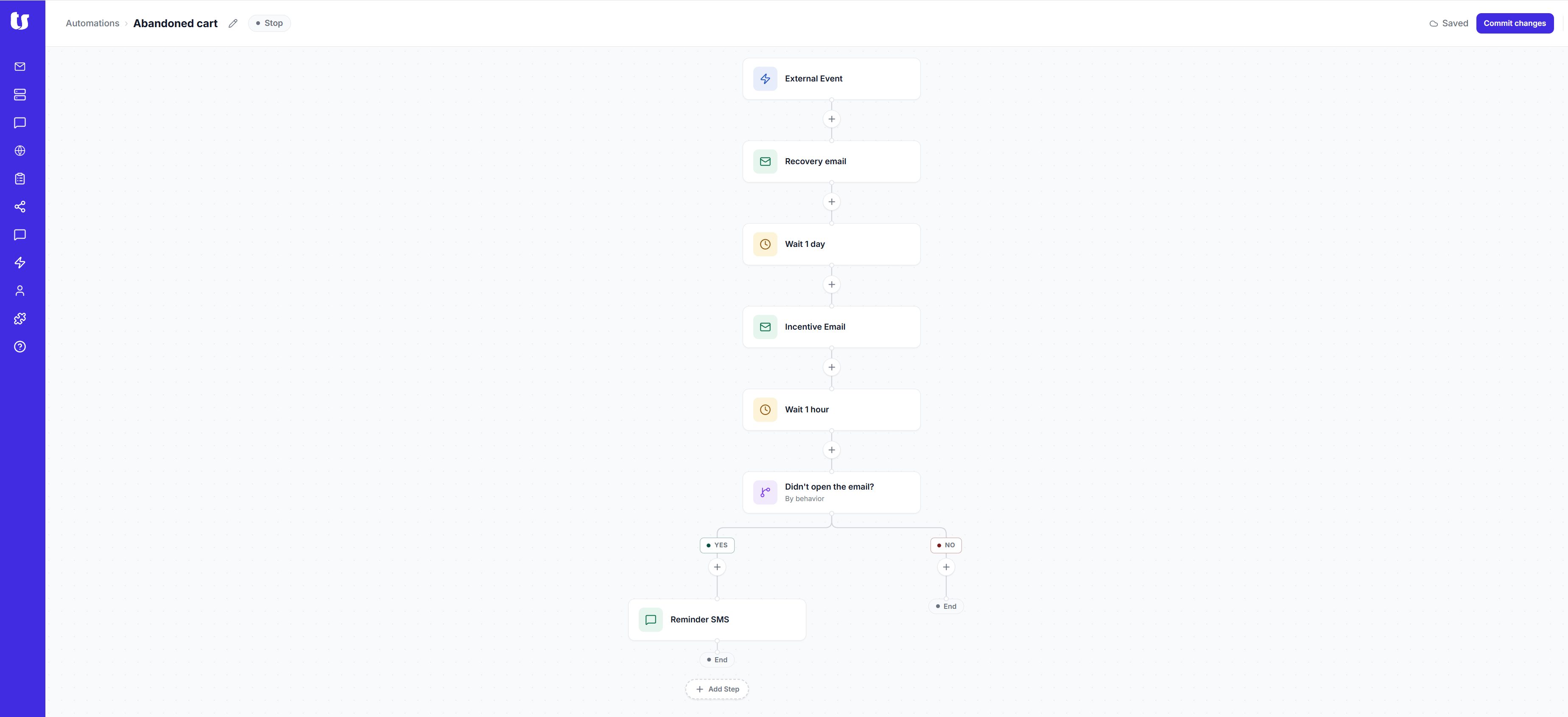
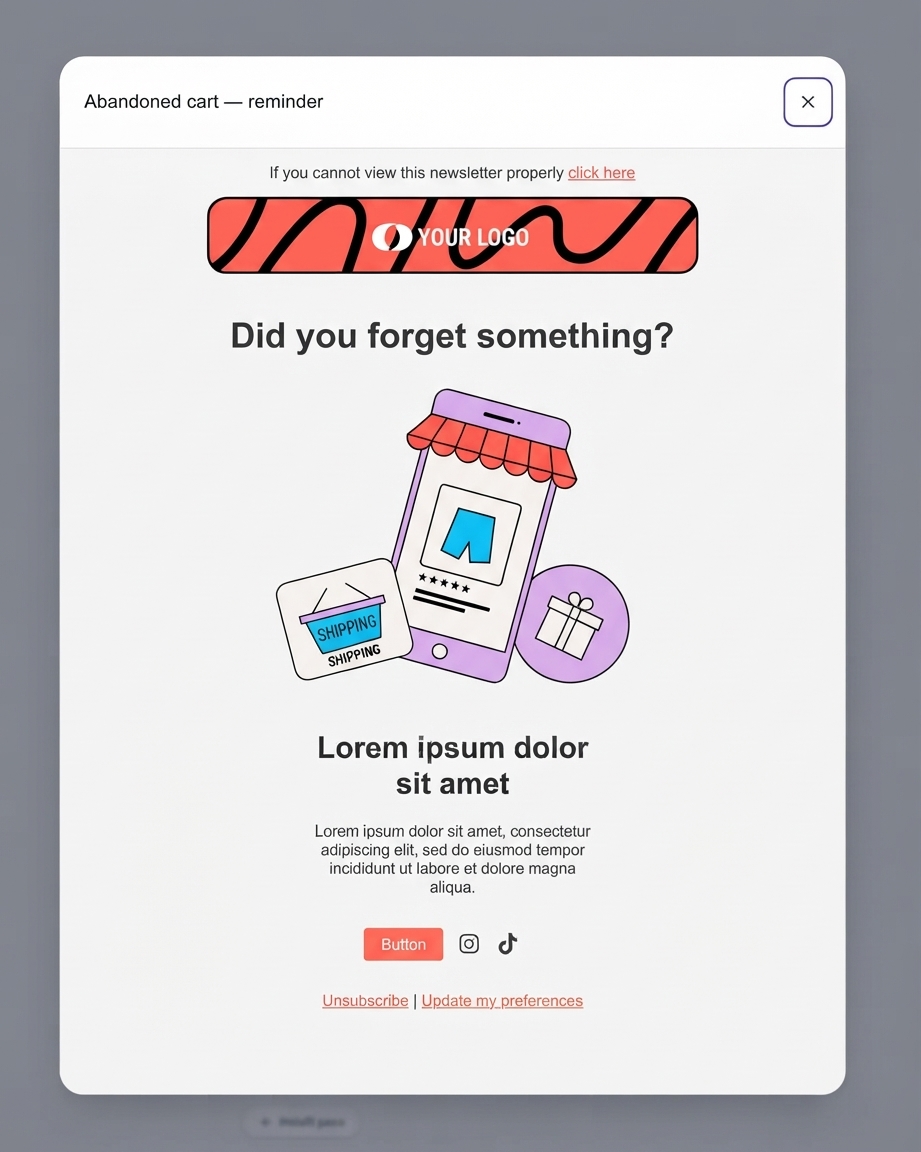
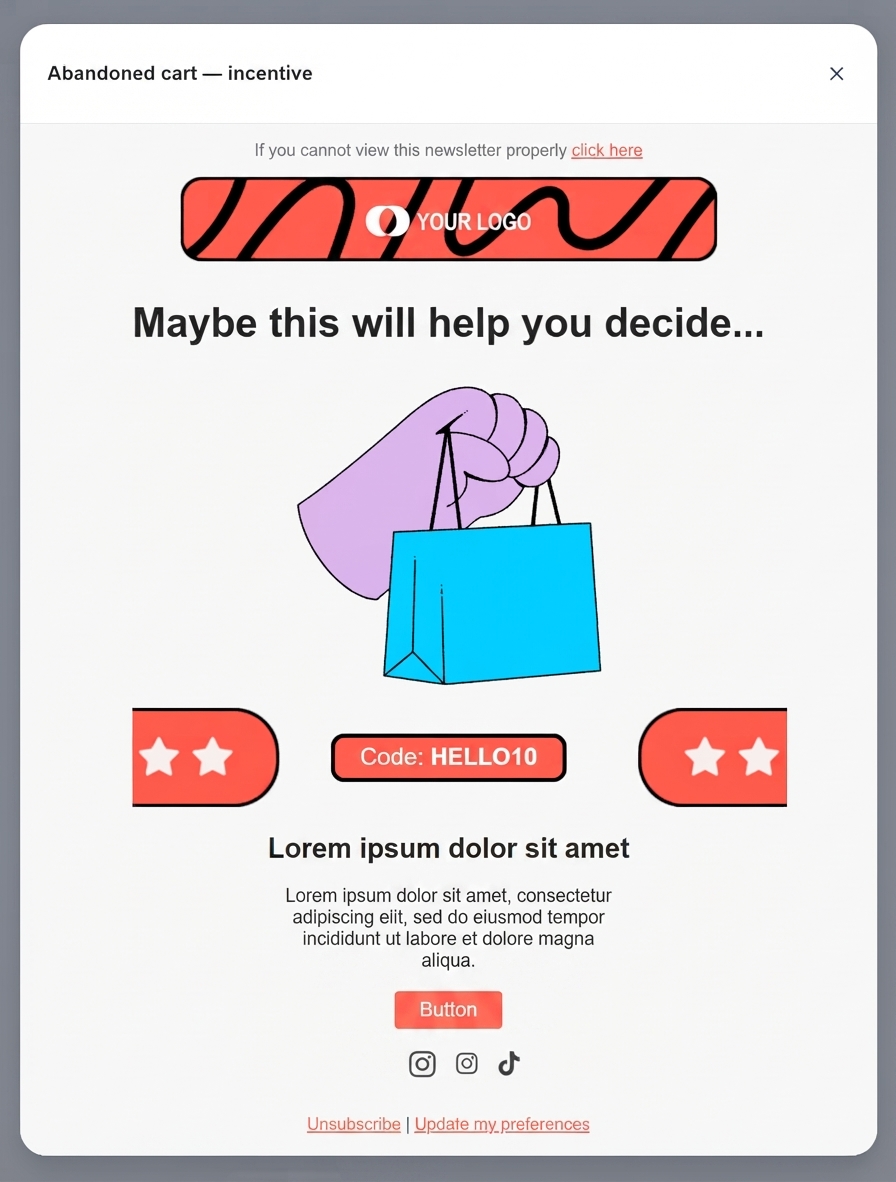
Process of abandoned cart automation in Acumbamail.
And this is how the emails look. You only have to change the logo, text, and button.
And the SMS? When to Use It and When Not
The SMS is very useful when time matters because people read it almost instantly. However, if overused, it becomes annoying. Our advice:
- Use it as the third message, not the first.
- Also, reserve it for higher-value carts or for customers who have already purchased before and have given their consent.
- Write a short message, with your brand name and a direct link to the cart.
Example of SMS: “Hi Laura, your cart at [your store] is still waiting for you. Complete your order here: [link]”
Remember that you need the customer’s consent to send advertising via SMS. Collect it in the form and during the checkout process, with a clear and unchecked box.
Purchase Made. Now What?
4. Order Confirmation and Tracking
Many people think: “I’ve sold, that’s it.” However, it’s a mistake. After purchasing, the customer is more attentive than ever. They want to know if the payment went through, when the order will arrive, and what to do if something goes wrong.
- Order confirmation (immediate): include the summary, timelines, and a contact.
- Shipping notice with the tracking number. Here the SMS works very well because it’s useful and expected.
- Delivery notice when the order is near.
Why it matters: these messages reduce customer service inquiries, like “where’s my order?”. Additionally, they build trust. A customer who knows what’s happening with their purchase has more reasons to return.
5. Review and Cross-Selling
A few days after delivery, send an email asking for a review and suggesting complementary products. The timing depends on the product, but 5 to 7 days usually works.
- Reviews build trust for future buyers. Therefore, that trust reduces abandonment.
- Cross-selling works because you know the purchase. If someone bought a frying pan, they might be interested in a spatula. A coat, however, doesn’t make sense.
A Full Cart Shouldn’t Be the Last
6. Re-purchase and Restocking
Getting a new customer costs more than selling again to someone who already knows you. That’s why it’s good to think about re-purchase.
Some products run out, like cosmetics, food, or coffee. For them, there’s a very useful and underused automation: the restocking notice.
It works like this. First, you calculate how long the product usually lasts. Then, a few days before it runs out, you write to the customer. For example: “Your 50 ml cream usually lasts a month. Shall we prepare the next one for you?”
If your catalog isn’t consumable, you can use the recommendation based on previous purchases. For example, related products or new arrivals in the category the customer already bought.
When the Customer Disappears
7. Reactivation of Inactive Customers
Some customers bought once and didn’t return. However, they didn’t leave angry. They simply forgot about you. It happens to all of us.
A reactivation automation detects when someone hasn’t bought in a long time. Depending on your sector, it could be 90 or 180 days. Then it sends a short sequence:
- A “we miss you” email, with news or best-selling products.
- Then, a second email with an incentive, if needed.
- Finally, a last notice explaining that you’ll stop writing if there’s no response.
This last step has two advantages. On one hand, it gives the customer one last chance. On the other hand, it cleans your contact base of those who don’t interact. That improves your sending reputation.
Two Examples to See It in Action
These are illustrative examples. Adapt them to your business.
A Natural Cosmetics Store
This store sells creams and serums that last between 4 and 6 weeks. Set up three automations. First, a welcome with a skincare routine guide. Then, an abandoned cart with two emails. Finally, a restocking notice at 4 weeks. This last one adds more than the others. It turns a one-time sale into a repeat customer, without launching any manual campaign.
A Home Decor Store
In this case, the average ticket is high, and the decision is slow. That’s why the abandoned cart is the main piece. The first email arrives in an hour. The second arrives in 24 hours and addresses doubts about shipping and assembly. Additionally, at 48 hours, an SMS with the direct link goes to higher-value carts. After the purchase, an email proposes ideas to combine with what the customer already has.
How to Set It Up with Acumbamail
Automations have a clear advantage. You set them up once, and then they work on their own. The only downside is the time it takes to set them up from scratch. That’s why at Acumbamail, we’ve prepared templates you can customize:
- Automation templates for ecommerce: abandoned cart, post-purchase, conversion push, review request, re-purchase reminder, and back-in-stock. For the rest of the journey, there are welcome templates (also by SMS) and inactive reactivation.
- Email and SMS on the same platform: so you can combine channels in the same sequence. First, you send an email and then a reinforcing SMS.
- Segmentation: you don’t send the same thing to everyone. You can distinguish between new, returning, inactive customers, or those with higher-value carts.
- Metrics: you see which message is opened, which receives clicks, and which sells. With that data, you improve each step.
Acumbamail is used by SMEs, freelancers, large companies, and institutions. From Bankinter, Heineken, or Telefónica to the corner shopkeeper. Therefore, no matter the size of your store. The tool is the same, and you decide how far to go.
How to Create Your First Automation
Start with what has the most impact: the abandoned cart. When it works, add the welcome. Then add the post-purchase messages. You don’t have to set it all up on the same day, but you do need to start.
To create an automation, go to Automations, choose a template, and customize it before activating it. You can also start from scratch if you prefer to design it yourself:
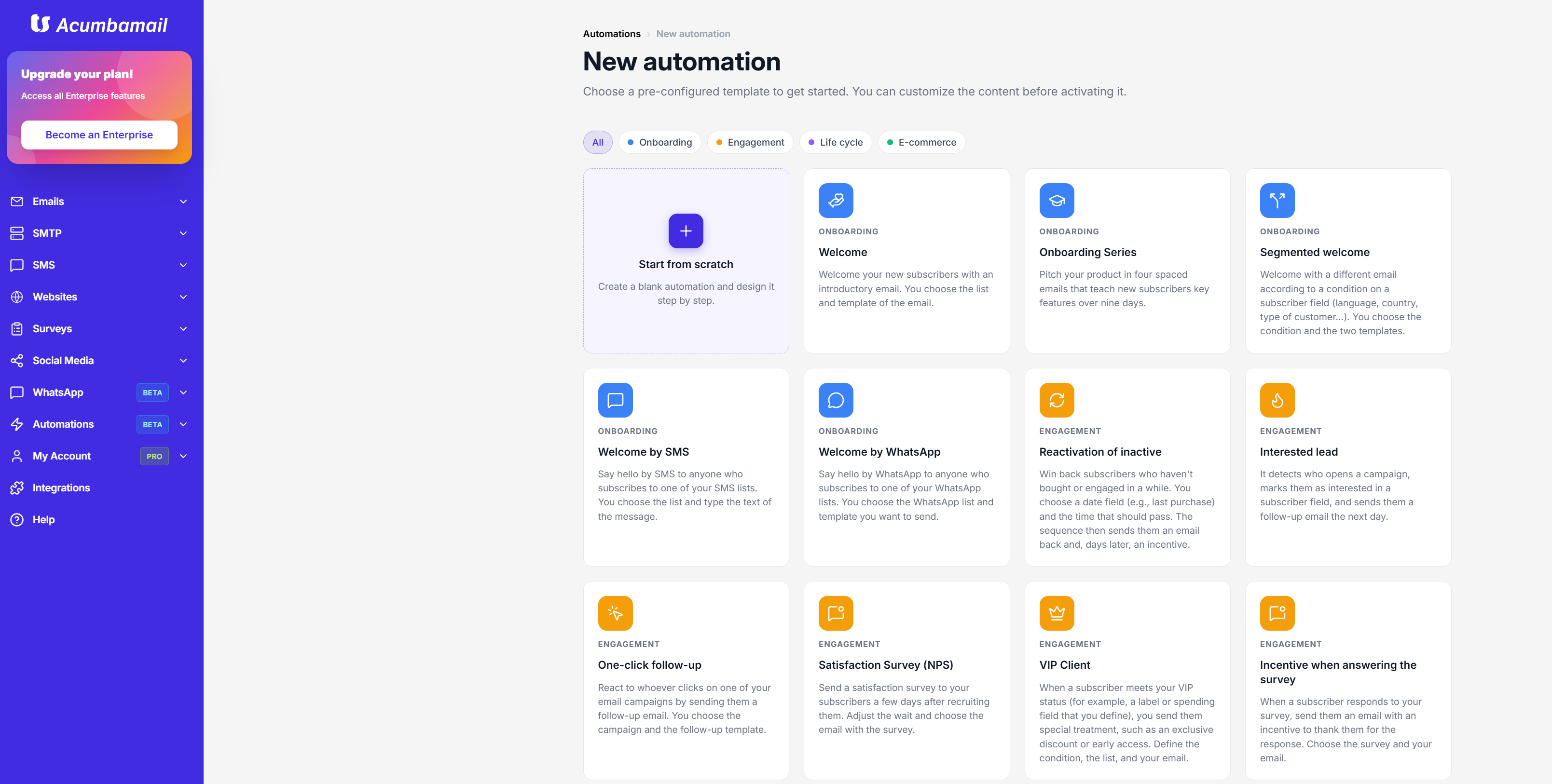
When creating an automation in Acumbamail, you choose a pre-configured template and customize it before activating it.
The green ones are the ecommerce block templates, which are the most useful for an online store:
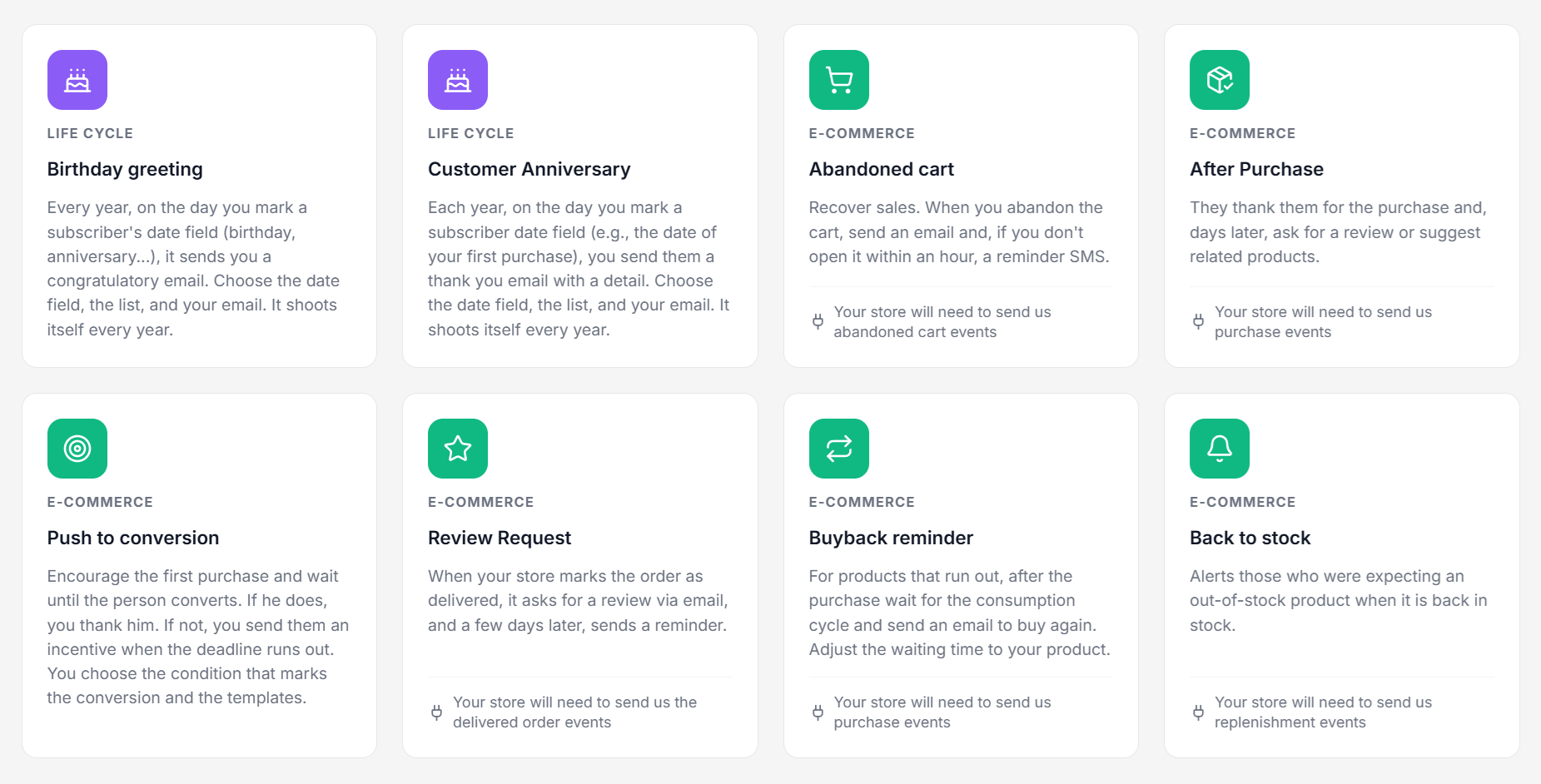
Acumbamail’s ecommerce templates. Each one is activated with the events your store sends.
Quick Checklist for Your Ecommerce
- Welcome to new subscribers (2-3 emails)
- Abandoned cart (1 h, 24 h, and 48-72 h)
- Confirmation and shipping notice
- Review request and cross-selling
- Restocking or re-purchase recommendation
- Reactivation of inactive customers
- Properly collected consent for email and SMS
To Close
Getting someone to enter your store is difficult and expensive. Letting them leave without saying anything, when they had already chosen, is losing money unnecessarily. The good news is that almost everything is set up once. Then, the automations work for you every day, even on holidays.
If you take away just one idea, let it be this: an ecommerce doesn’t just sell when someone pays. It sells every time it accompanies the customer. When they enter, you welcome them. If they hesitate, you resolve their doubt. When they buy, you explain what happens with their order. Later, if the product runs out, you remind them. And if they forget about you, you give them a reason to return.
Where to Start This Week
- Today: check how many carts you abandon each month and if you currently send them any message. If the answer is “none,” you already know where the opportunity lies.
- This week: set up the abandoned cart sequence with three messages (at 1 hour, 24 hours, and 48-72 hours). If you want to save time, the Acumbamail template already has the structure made.
- Next month: add the welcome and shipping notice.
- Afterwards: add restocking and reactivation. They are the ones that turn a purchase into a relationship.
You don’t have to do it perfectly or all at once. Therefore, start, review the numbers after two or three weeks, and adjust the subjects, timings, and texts. Automations improve with use, just like your store.
And if you get stuck at any point, you know where we are. At Acumbamail, we have the templates ready, integrations to connect your store, and a support team that likes to be asked questions. You can try it for free, without hurry and without a card.
A full cart is great. A customer who fills it again is even better.