7 No-Code Tools to Create Your Website
 Alicia Zunzunegui · 29 Jan, 2026 · Digital Marketing · 7 min
Creating a website can be a roller coaster of challenges. From hiring hosting, buying a domain, setting up security protocols, changing CSS styles, etc., etc., etc.
Let’s face it, it’s a headache not everyone can handle.
But I’m here to shed some light and tell you that for years there’s been a new trend in the world of web design: No-Code tools.
Can you imagine building your website without needing to be a programming genius? Well, that’s already possible. No-Code tools allow you to create your website as if it were child’s play. Or rather, like LEGO pieces.
You’ll understand why later.
In this article, I will reveal seven tools that will change the way you think about web design and allow you to build your website quickly, creatively, and most importantly, without needing to touch a line of code.
Forgive me, web designers and programmers, but No-Code is a godsend for entrepreneurs and small businesses.
Let’s get to it.
What is No-Code
No-Code, or “without code,” is a revolutionary approach in software development that allows the creation of applications and digital solutions without the need to write traditional programming code.
No-Code tools are designed to be intuitive and user-friendly. This allows people with no programming experience to create websites and applications easily, quickly, and cheaply.
Until a few years ago, creating a website required deep knowledge of programming languages like HTML, CSS, and JavaScript.
However, No-Code has democratized the process, opening the doors of web design and development to a broader audience.
The advantages of creating your website without code
Reducing website construction times
Projects that once might have taken weeks or months can now take shape in a matter of days, empowering entrepreneurs, small businesses, and freelancers to carry out their ideas efficiently.
More accessible creativity
It’s no longer necessary to be an expert in programming to bring innovative ideas and attractive designs to the web. The intuitive interface of No-Code platforms allows designers, entrepreneurs, and business owners to express their digital vision without needing to understand the intricacies of code.
Adaptability and scalability
No-Code tools are often flexible and scalable, allowing the website to grow and adapt as the business or project needs evolve.
Independence from a development team
No-Code puts control directly in the hands of the user, allowing them to manage and update their website without relying on a developer.
Cost reduction
And not least, by eliminating the need for programmers, the costs associated with website development and maintenance are reduced.
7 No-Code tools you should know if you don’t know how to program
WordPress
I’ll start by mentioning the main reference in website creation.
WordPress is the leader in web content management (CMS) and website creation.
It has been established in the market for many years and allows you to build websites with fully customizable code or without needing to know programming.
Do you remember I mentioned earlier that No-Code is like playing with LEGO pieces?
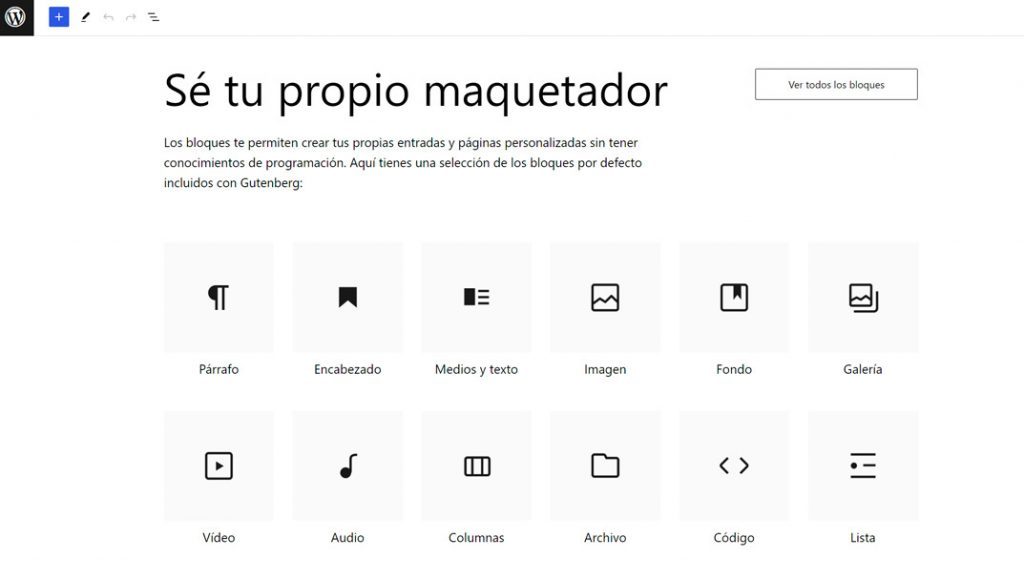
Well, both WordPress and the other tools I’m going to discuss are based on block construction.
This involves selecting and dragging pre-configured blocks to build the website: menu bar, buttons, titles, text, images, forms…
This makes things much easier. Imagine programming all these elements with code…
Being a web content manager (CMS), you can publish dynamic content on a blog, something highly recommended to work on your business visibility and acquire new leads.
It offers a diversity of themes and templates designed to adapt to different types of websites. These themes enable customization of the site’s appearance and structure according to each user’s needs and preferences.
It has an extensive library of plugins that extend the website’s capabilities. Within this collection, there are plugins aimed at adding contact forms, integrating social media, enhancing SEO, creating image galleries, and many other options that contribute to the versatility of web development.
Another interesting point is the large community it has. This allows you to solve doubts and access tutorials to build any type of website without needing to invest a lot of money.
Framer
Framer is another tool you should know, especially if you want to build your website quickly and fully functional.
Framer offers a wide variety of templates and predefined components that facilitate the creation of designs without having to start from scratch.
These elements can be used and adapted according to your preferences, giving you flexibility and saving time in the creative process.
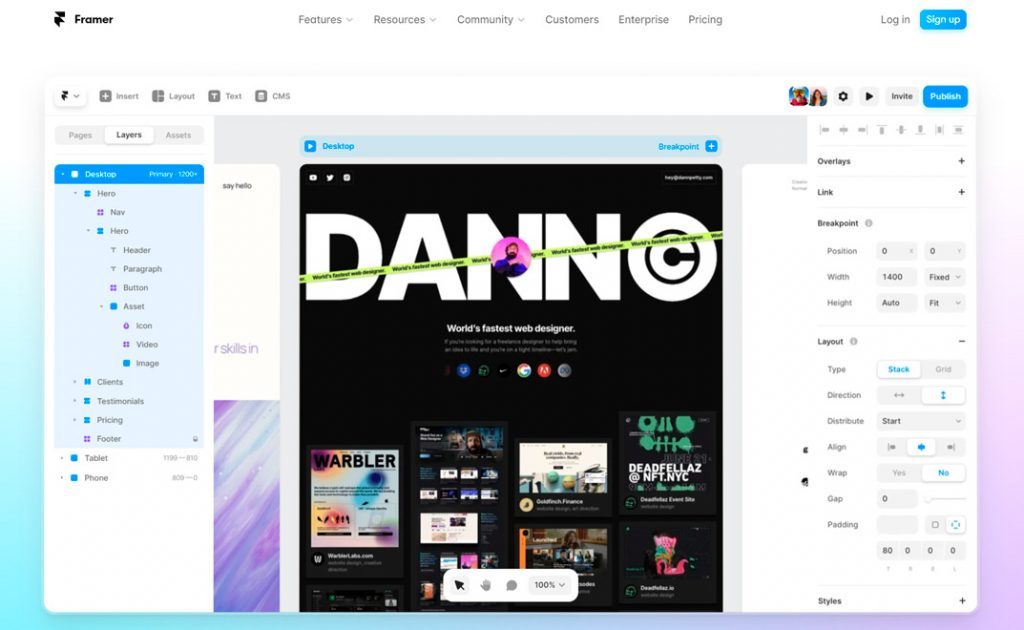
The platform allows you to bring your designs to life through animations and transitions. Framer simplifies the creation of motion effects, resizing, fades, and other animations that, compared to other tools, might be more complex to implement.
Despite being a No-Code tool, Framer provides the option to incorporate code to further customize your designs. This means that if you have programming knowledge, you can take your creations to a higher level, adapting them more precisely to your business or product needs.
Webflow
Webflow is another No-Code tool that has gained a lot of relevance in recent years.
It allows you to create your website visually thanks to its layers and visual elements interface, including animations.
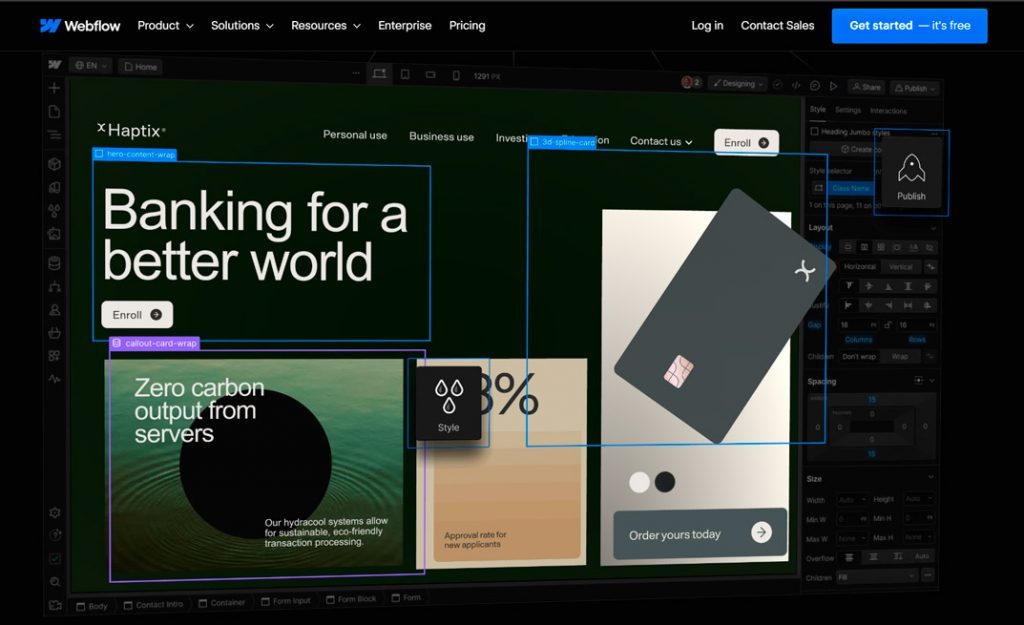
The interesting thing about Webflow compared to other No-Code tools like Framer is that it can connect with third-party tools (like apps) and therefore create a much more professional and scalable website.
Additionally, even though it’s a tool for programming without code, it generates the HTML, CSS, and JavaScript code of your website. This is great if you need more customization than it allows or want to take the website to another builder.
This makes the learning curve a bit more complex.
It’s also worth mentioning that Webflow allows you to create a CMS, like WordPress. However, you’ll need to use Webflow’s CMS API. It’s more advanced but opens up endless possibilities.
Now we enter the universe of No-Code tools to create landing pages, that is, single-page websites.
Very focused on product sales, lead generation, etc.
Carrd
This is one of the most economical and recommended tools for creating simple yet effective landing pages.
Carrd has multiple templates (some free and others included in the paid plan)
There are options for all types of projects or businesses.
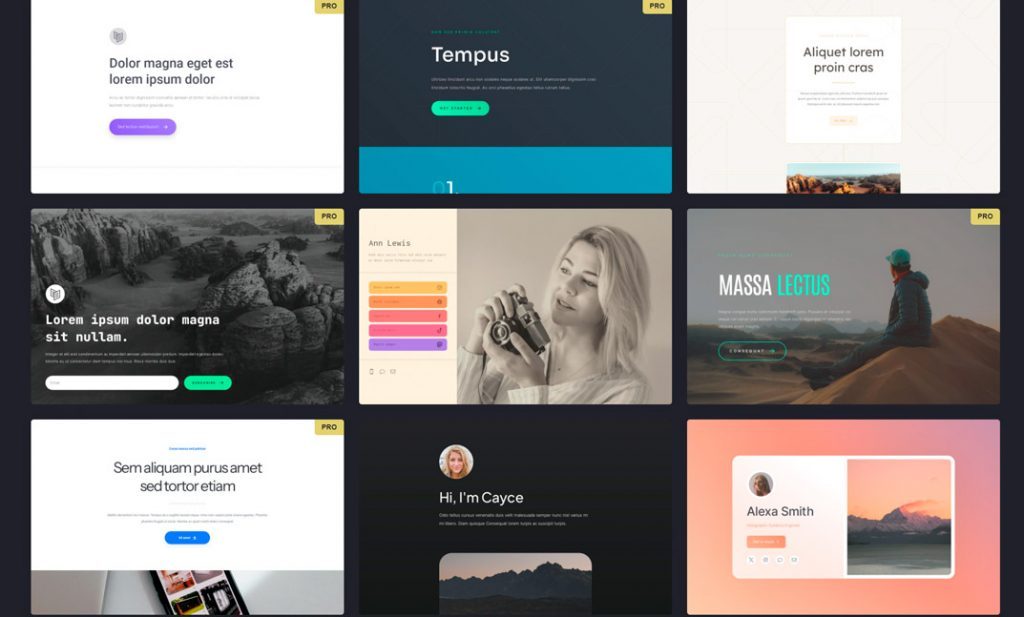
What is Carrd recommended for?
Especially if you need a professional page that displays your business data, portfolio, and other types of information.
However, you can only create a static website. That is, you can’t create a blog since Carrd is not a CMS; it’s simply a builder for standalone pages.
And the best part?
For $19 a year, you can create multiple pages, customize your own domain, and access many more features like PRO templates.
Acumbamail
At this point, it’s worth mentioning the landing page builder we have within Acumbamail.
It also works with pre-configured blocks, making it super easy to have your page ready in just a few minutes.
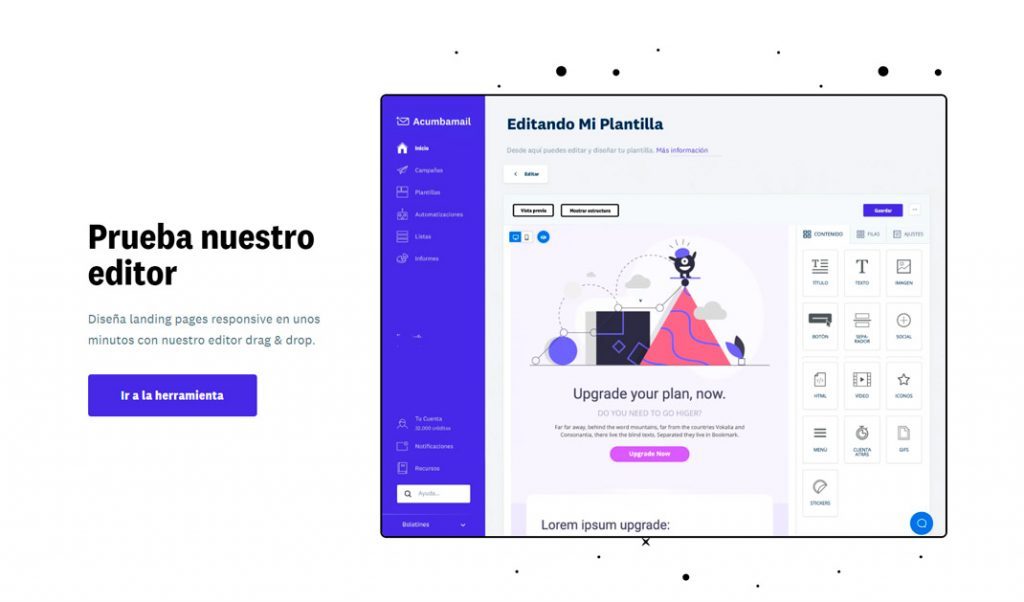
One point we shouldn’t overlook is that it connects with your subscriber lists. It’s ideal for capturing emails through a lead magnet or a specific campaign.
Of course, it also comes with dozens of templates that you can use and edit to your liking.
And the best part, it’s free if you use the tool to send your email marketing campaigns.
Remember you can try Acumbamail for free here.
Canva
Canva has become the go-to design tool for entrepreneurs and small businesses.
It was born to design static elements for social media, but now you can design practically anything. You could say it’s a kind of easy Photoshop for anyone.
And guess what, it also allows you to create web pages.
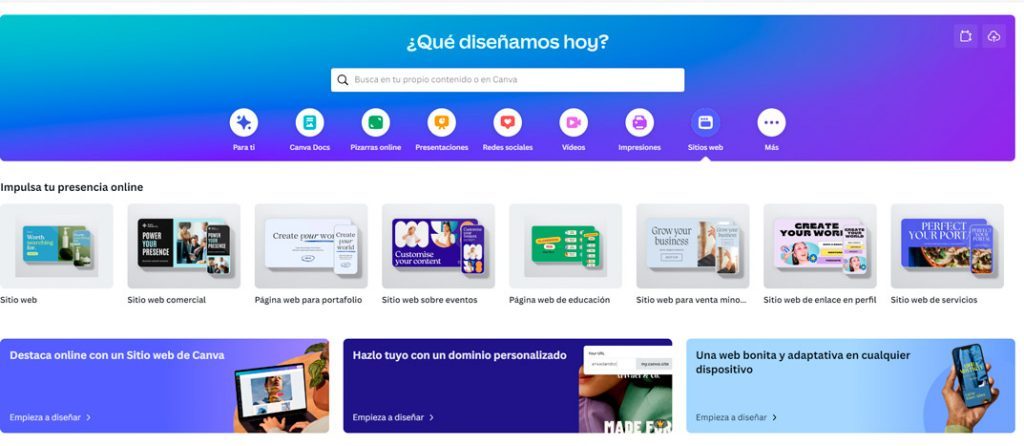
You can choose from hundreds of templates, apply your corporate colors, and write all the web content easily.
Additionally, it allows you to publish the website with either a free domain (yourwebsite.canva.com) or by adding your corporate domain (yourwebsite.com).
It can be a great option if you use this tool and want to create a landing page to have a digital presence quickly.
However, they can only be created in the PRO plan.
Popsy
Finally, I’d like to mention a tool that often goes unnoticed but can be a great option for creating your website without code.
It’s called Popsy. If you’re familiar with working in Notion, you’ll love this builder because the website is created exactly like a Notion page.
Moreover, it has the advantage of having many templates created by other users and also illustrations and icons to give your website a more original touch.
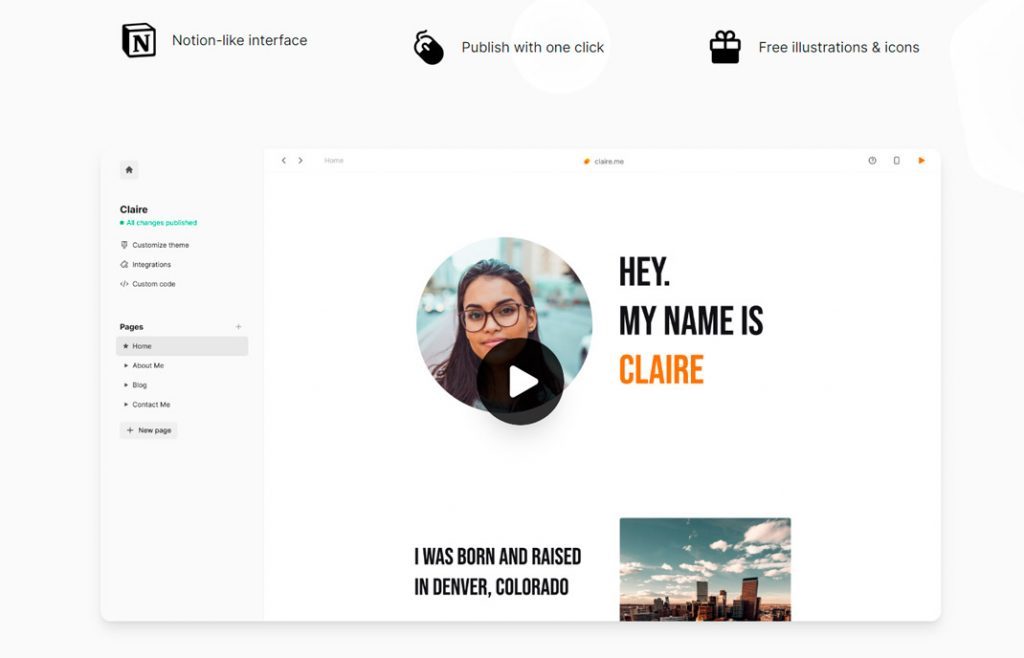
It’s more focused on content creators, but it would be interesting for you to take a look because it’s great for one-person businesses.
Conclusions on No-Code tools
As you’ve seen, all these solutions offer very interesting features such as:
- Predefined templates
- Explanatory guides and tutorials
- The possibility of using a free domain or using your own domain.
Regarding the domain, it’s always better to set up your corporate domain name to make it more professional.
I encourage you to take a look at each of them because both the prices and some more advanced features vary.
As we always say, it’s important to carefully consider the objective and needs you have with your website to choose one tool or another.
Explore the possibilities of No-Code to create professional pages without knowing how to program.