WhatsApp Services
Send WhatsApp campaigns to your lists, respond to your customers from Acumbamail, and automate replies with a chatbot. With the official WhatsApp Business API and from the same account as your email marketing.
439 companies signed up last week
4.7/5 stars
4.6/5 stars
5/5 tacos
4.8/5 stars
Prepare the message, choose the list, and send it now or schedule it. The replies come to Acumbamail.
Link your WhatsApp Business number in minutes with Meta's official assistant, without installing anything.
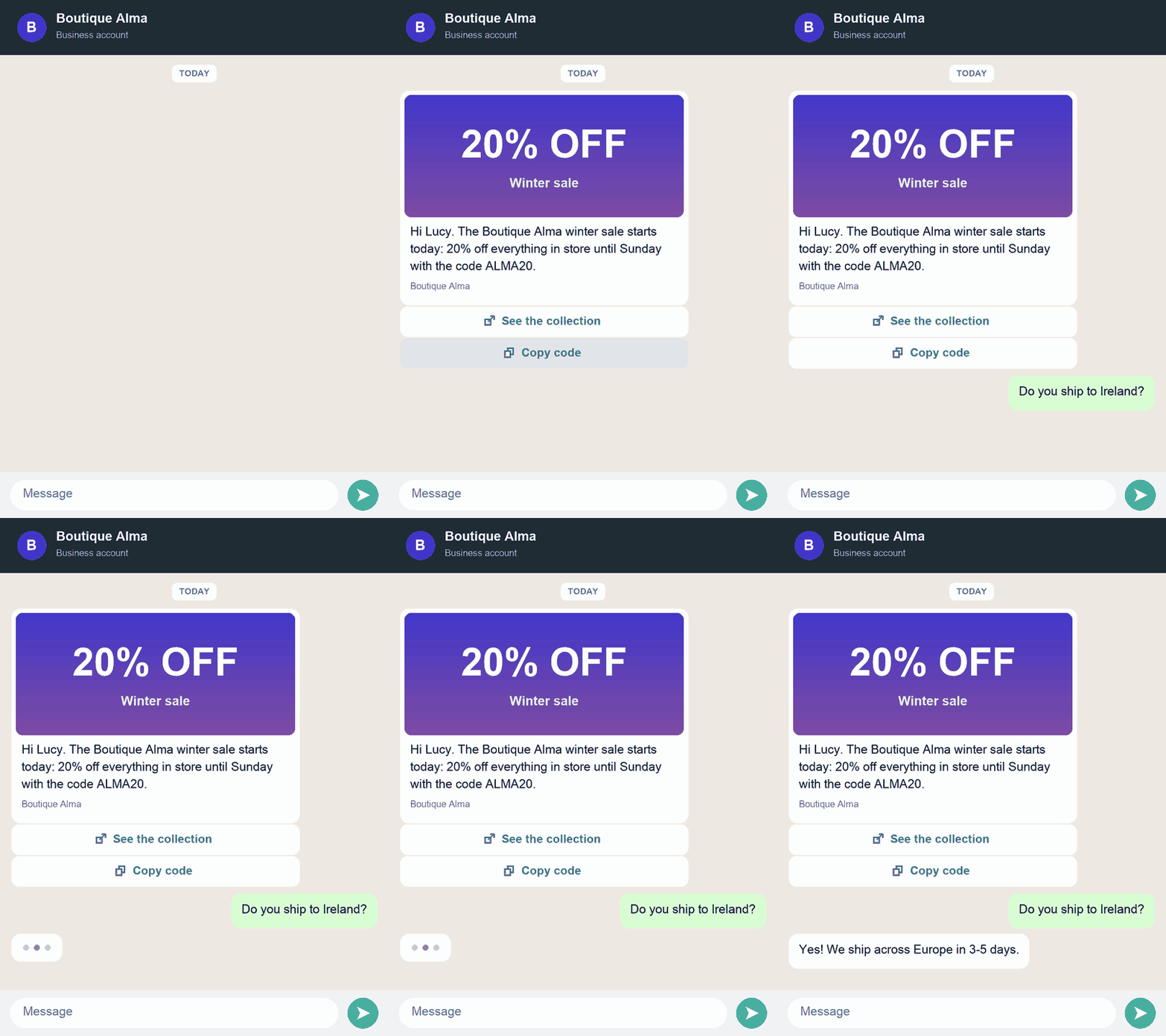
Templates with image, video, document, or location, personalized texts with each contact's data, and quick reply buttons, link, call, or copy a discount code.
Send the campaign to your lists immediately or scheduled for the day and time you choose.
Check the delivered and read messages, clicks on buttons, and for those that do not arrive, the reason. You can download the report.
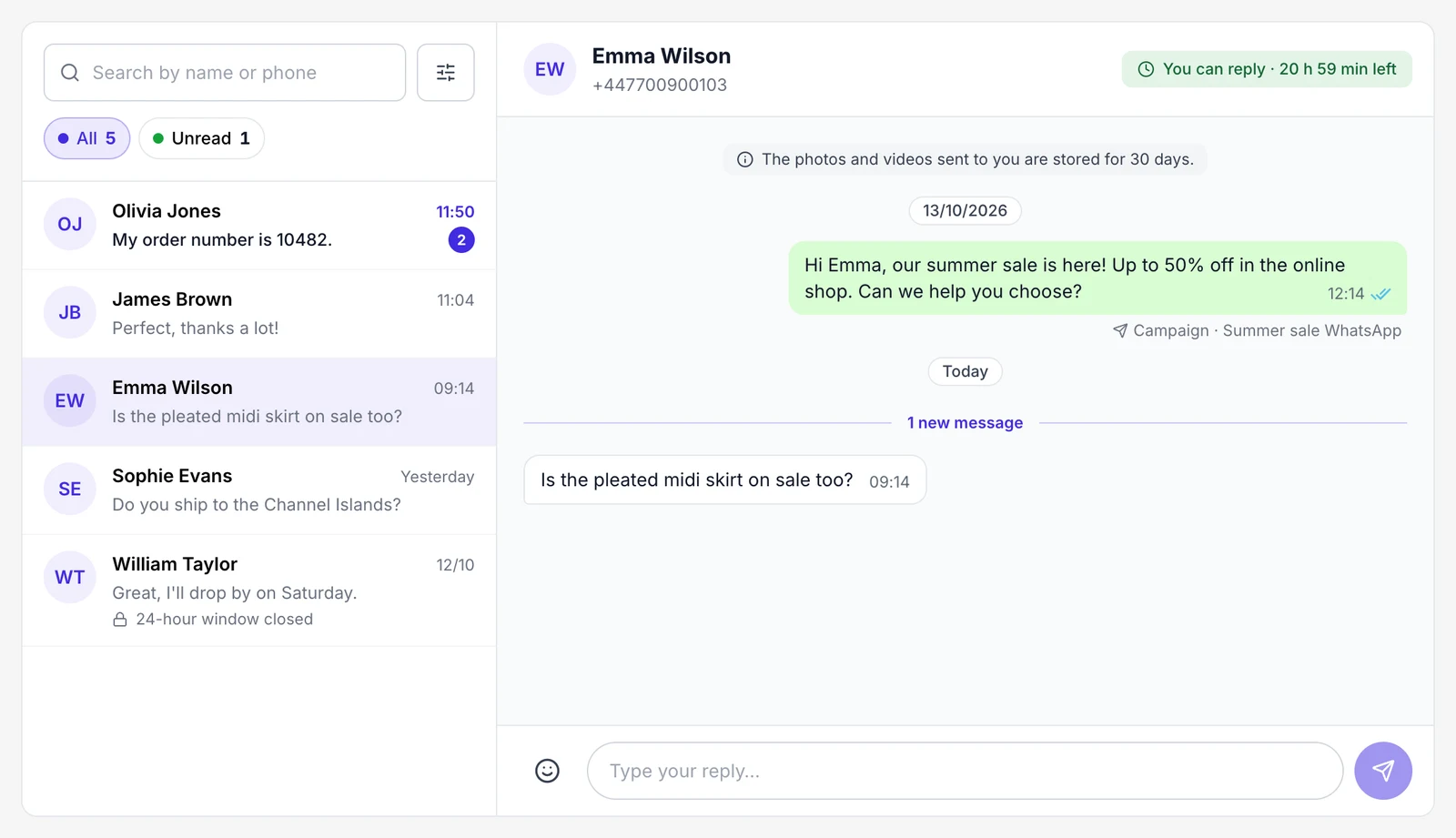
Replies to your campaigns arrive in the Conversations inbox: you see which campaign each conversation comes from and reply without leaving the platform.
To write first: approved template
Campaigns are sent with templates that Meta reviews before they can be used, and only to contacts who have given their permission to receive messages.
To reply: free messages for 24 hours
When a customer writes to you, during the next 24 hours you can reply with any message, without a template.
Create conversations in a visual editor that greet, answer frequently asked questions, ask for data, and pass the conversation to a person when needed.
1
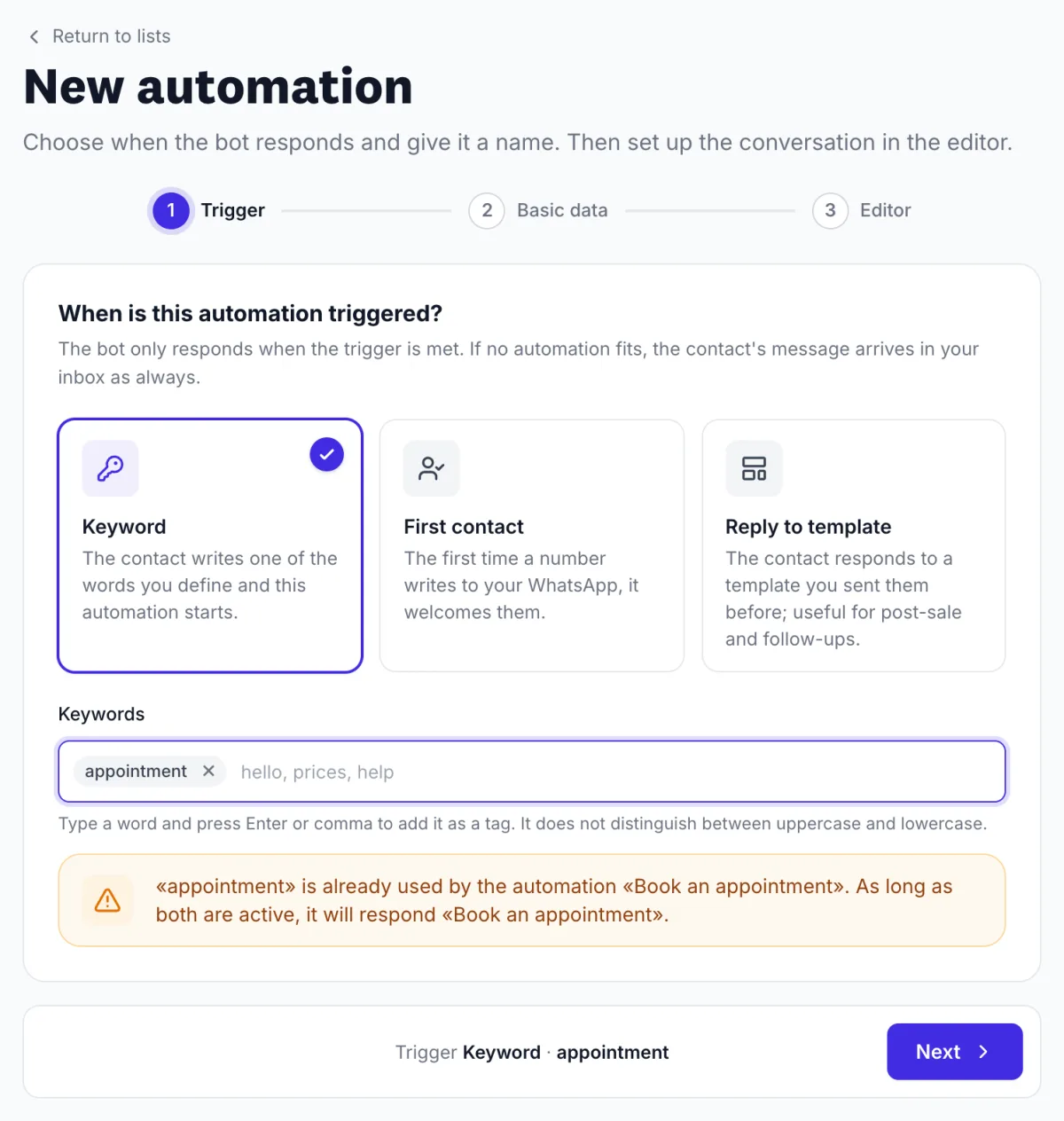
Activate the chatbot with a keyword, with the first message from a contact, or when they reply to a template you sent.
2
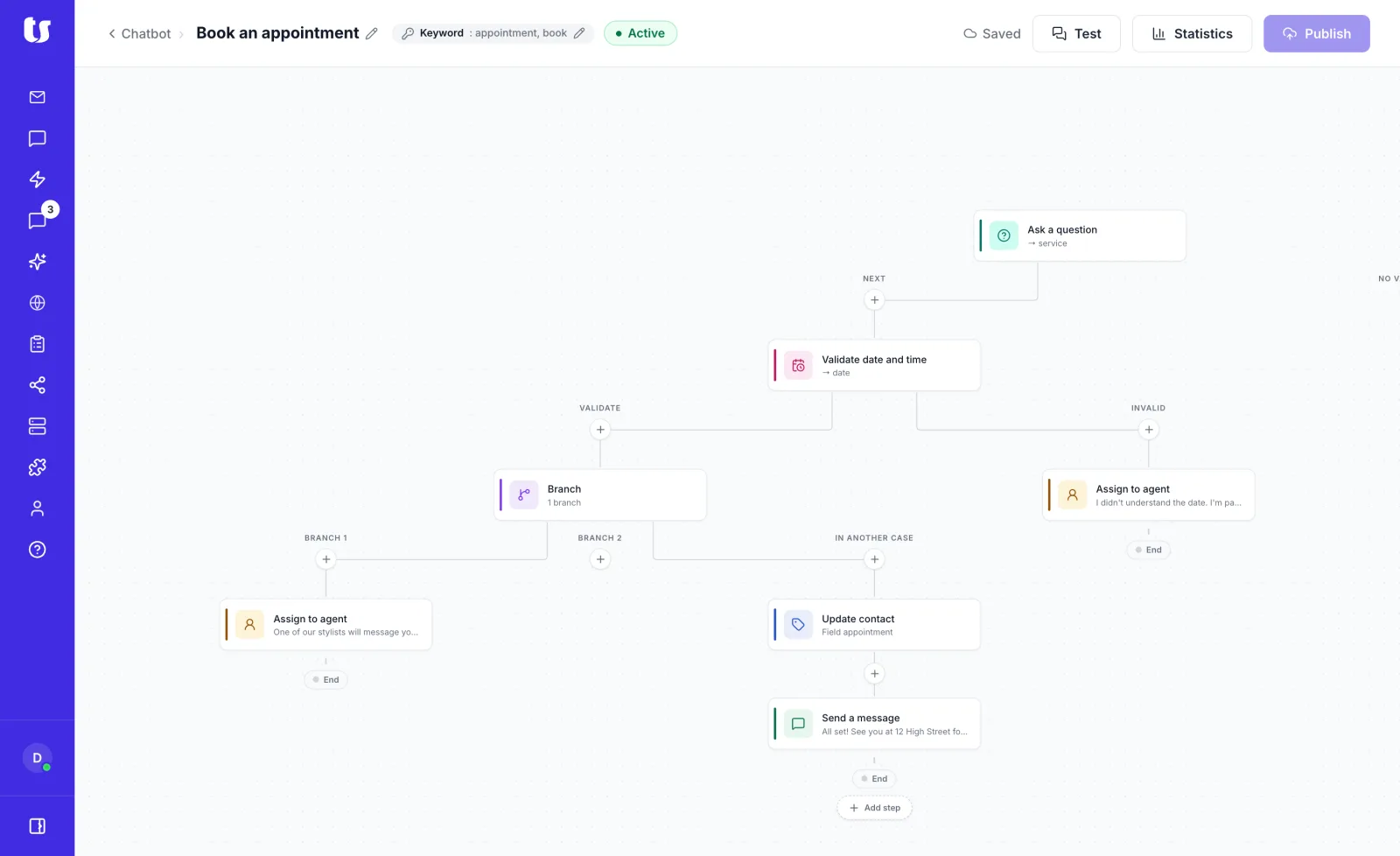
Build the flow in a visual editor: ask, validate the date, decide the path based on the response, and pass the conversation to a person when needed.
Text, image, video, audio, or document, response buttons, lists, and approved templates.
Ask for a data point with text, buttons, or a list and save the response for later use.
Check that the contact writes a valid date or time, for example, to request an appointment.
Decide the path based on the response: is equal to, contains, is one of, or is empty.
Save the name or a custom field of the contact.
Leave the conversation in Conversations for a member of your team to attend to.
3
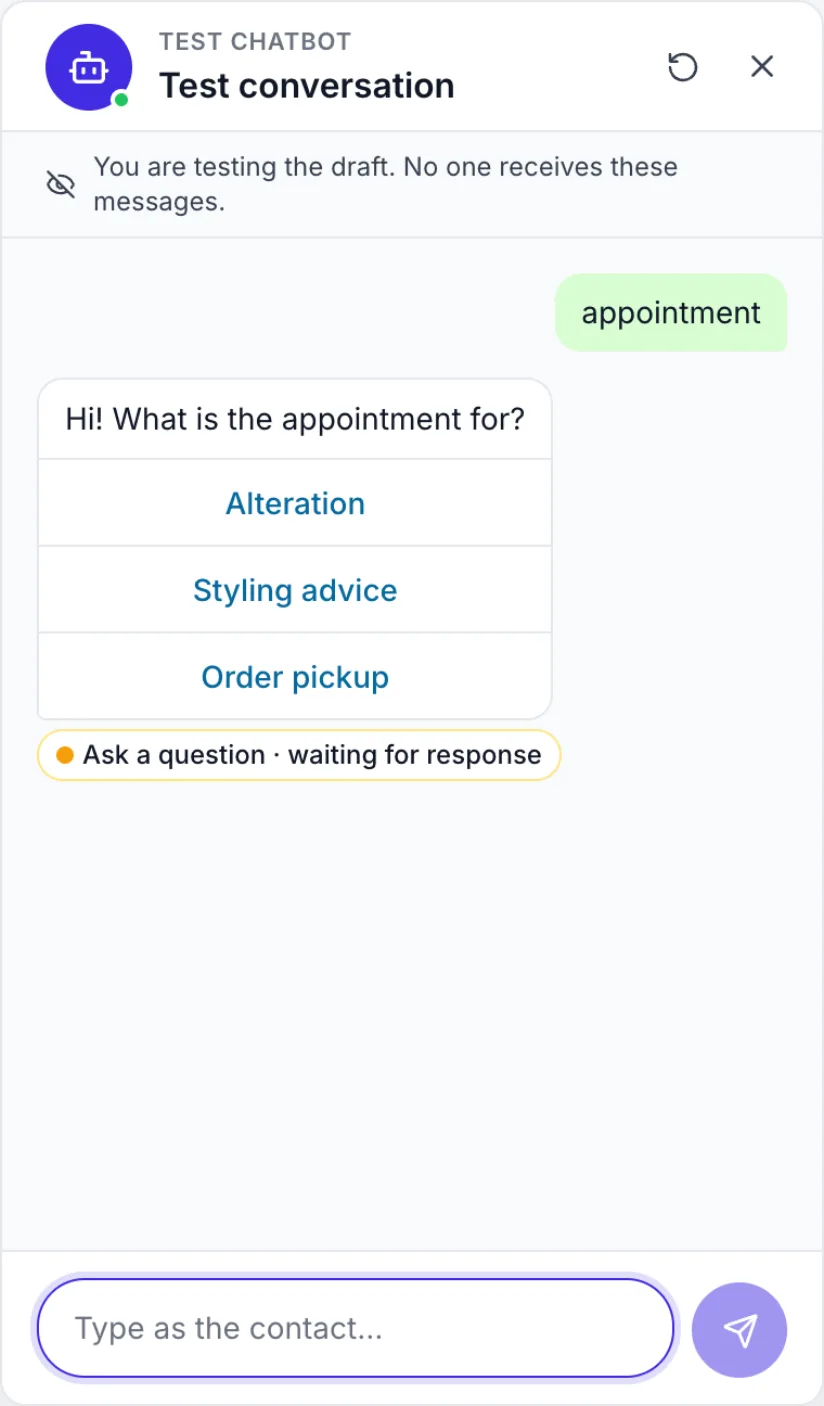
Simulate the conversation from the editor: no real messages are sent, nor is any data saved. When everything works, publish it and activate it.
4
Check how many messages were sent, delivered, and read at each step, and which ones failed.
5
Filter responses by status (in progress, completed, assigned to agent, expired…) and download them in CSV. They are kept for 180 days from the last activity.
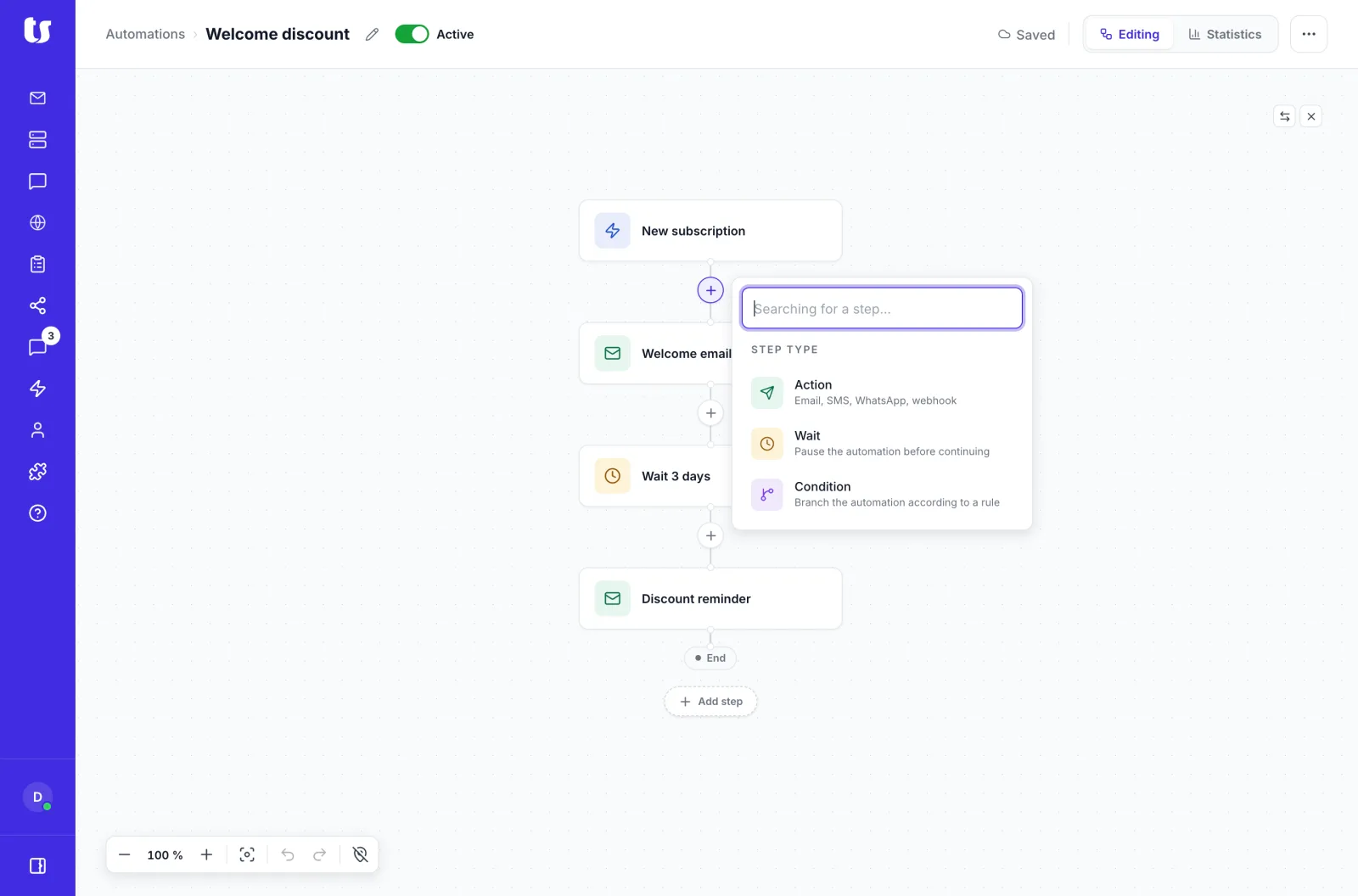
Send a WhatsApp to anyone who opened an email, or continue with an email if the contact clicks a button in the WhatsApp.
Campaign
Send offers and discount codes with a button to copy them.
Campaign
Notify about appointments, events, or webinars.
Conversations
Resolve questions about orders, shipping, or changes from the Conversations inbox.
Chatbot
Reply immediately about schedules, shipping, or prices.
Chatbot
A chatbot that asks for data from the contact and saves it.
Campaign and chatbot
Ask how it was after a purchase and collect the response with a chatbot.
WhatsApp is included in Pro and Enterprise plans.
Acumbamail does not charge for WhatsApp messages. Meta charges for each template delivered, and the fee depends on the type of template (marketing, utility, or authentication) and the recipient's country.
Each time a customer writes to you, a 24-hour window opens during which you can send them free messages, without a template. The first 1,000 of those messages per month per number are free, and after that, Meta charges for them as well. The chatbot does not consume Acumbamail credits.
A WhatsApp Business account. You can connect it to Acumbamail in minutes with Meta's official assistant, without installing anything.
Meta reviews the templates before they can be sent, and your contacts must have given their permission to receive messages.
No. Outside of the 24 hours following the last message from the customer, you can only write to them with a template approved by Meta. Within that window, you can send free messages.
Yes. Your customers' replies arrive in a conversation inbox within Acumbamail, without you having to leave the platform.
In the campaigns, the delivered and read messages, clicks on buttons, and for those that do not arrive, the reason. The report can be downloaded.
In the chatbot, the messages sent, delivered, read, and failed at each step, and the responses from each contact, which you can export in CSV and are kept for 180 days from the last activity.
Yes. In automations, you can send a WhatsApp to anyone who opened an email, or continue with an email if the contact clicks a button in the WhatsApp.
It is an automatic conversation that responds to your contacts' messages. It can greet, answer frequently asked questions, ask for data like a name or a date, save the responses, and pass the conversation to a member of your team when needed.
No. It is created in a visual editor, step by step, and you can test it before publishing it without sending any real messages.
You can pass the conversation to a person with the step 'Assign to agent': it stays in the Conversations inbox of Acumbamail and we notify you by email.
The chatbot only reads text and pressed options, so if the contact sends a photo, audio, or location, the conversation is passed to a person. When someone from your team responds, the chatbot steps back from that conversation for 24 hours.


Need some help? Llámanos al 91 198 84 05