Resources

Mailtester

Increase deliverability and maximize email marketing performance by removing invalid and harmful addresses from your email list with this email verification tool.

Create your list (CSV/TXT)

Valid
0%
quality
0%
Hard bounces
0%
Unavailable
0%
Traps
0%
Answer rate
0%
Unsubscription successful
0%
Duplicated
0%
🔍 Analyzing reputation and digital footprint of each email...
🧠 Detecting risk patterns and suspicious domains...
🛡️ Cross-referencing addresses against global anti-spam databases...
⚙️ Validating syntax, existence, and historical behavior...
📊 Evaluating interaction level and contact quality...
🚨 Identifying potential traps and disposable emails...
Rating: 0/10
  • Valid
  • quality
  • Hard bounces
  • Unavailable
  • Traps
  • Answer rate
  • Duplicated
  • Unsubscription successful
Rating: 0/10

Additional free tools

FAQs
  • Why is it important to have a professional email signature?

    A list with incorrect, disposable, or trap addresses causes your sends to bounce, damages your domain reputation, and ends up in spam. Verifying the list before sending helps you eliminate those contacts, reduce bounces, improve deliverability, and protect your sender reputation.

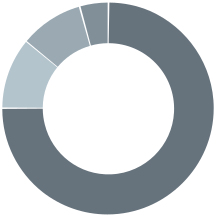
  • When verifying your list, we categorize the addresses. Those that are invalid or not advisable to send correspond to the same ones you see in the results chart:

    • Duplicated: Emails that appear more than once in your file. It is not recommended to send multiple times to the same email in the same campaign.

    • Traps: Emails whose mail server is managed by anti-spam organizations or security companies whose main goal is not communication, but to detect and identify spammers or senders using bad practices in email sending. A single send to one of these emails can penalize all your sends.

    • Unavailable: Disposable or temporary emails. They are not suitable for campaigns because they are abandoned, used for testing, to send spam, or to abuse some services.

    • Hard bounce: Emails that do not exist, have ceased to exist, or have formatting errors (for example, misspelled domain or incorrect syntax). These emails would bounce when sending.

    • Answer rate: Emails that have indicated they do not want to receive commercial communications or that our system identifies as non-interactive with the emails they receive.

    • Unsubscription successful: Emails of very widespread use or that tend to appear in commercial lists. They are usually in thousands of databases and receive a large number of emails daily, so they have less value for your campaigns.

    Those that are useful for sending appear asList idin the chart.

  • By removing invalid, disposable, and trap emails from your list:

    • Bounce Rate: Analize and delete low-quality subscribers

    • Speed of sending upgrades: by maintaining a good reputation with email providers (ISPs).

    • PRO account: This subscriber already exists in the list.

    • Blacklists appearance: by reducing bounces and the risk of sending to spam traps.

    • Domain authentication: by removing harmful or inactive addresses.

    • Conversion Rate Increase: by eliminating inactive subscribers with a low probability of opening your emails.

    In practice, a verified list usually has a better open rate and fewer complaints.

  • Yes. MailList Checker is a free tool. You can upload your CSV or TXT file, view the analysis of your list, and you do not need to register.

  • No. We comply with GDPR. The data is only used to generate the analysis you see on screen. Once the result is displayed, it is discarded.

Phone popupver Open calling windows

Drop us a line

Need some help? Llámanos al 91 198 84 05